
Setting up the U1
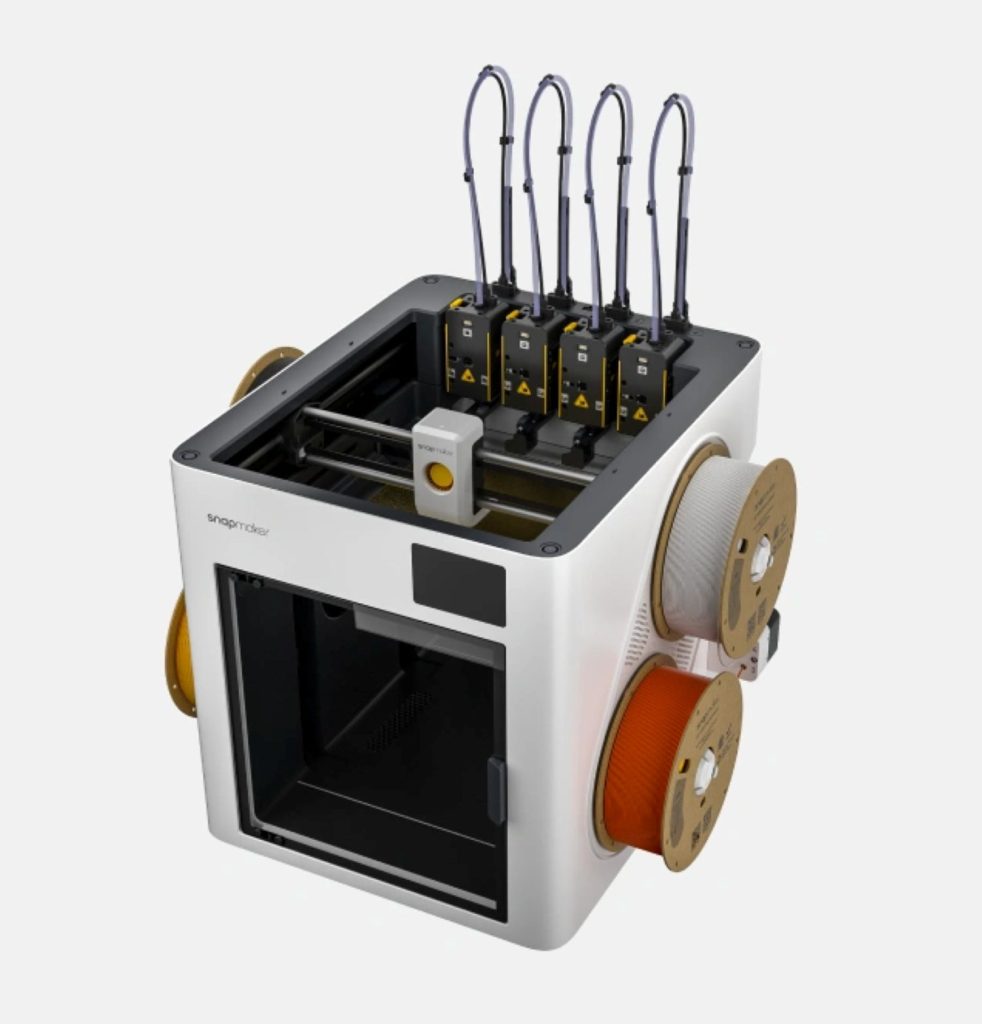
Planet 3DP’s Nick Nicholls set up the U1 from the box on camera (watch the setup). His first warning is the tape, of which there is a lot. The step that trips people up is the toolheads. The one with a yellow sticker goes on first, and each bracket has to show its red sticker before the next head slots in (watch at 4:04). Calibration then runs on its own and takes about 20 minutes (watch at 8:51). Since then he has printed four colour models on it, including a falcon and a toucan.
The fault, and the five minute fix
A two day falcon print stopped about 75% of the way in with an error saying the main board had detected a power off signal. His power was fine, since the same outlet runs five of his other printers at once, and the resumed print died again at about 15% (watch at 1:11). Snapmaker’s own wiki has a page for that exact error. Following it, he raised the power loss detection threshold in the printer’s config file from the default 0.022 seconds to 0.04, and the falcon finished. Three printers then ran on the same circuit with no errors (watch at 3:46). Because the firmware is open, he says, it was a five minute fix instead of a week of waiting on support.
Noise, and the four colour limit
The toolhead changes are loud. Nick could hear them from the next room and from bed, though next to his Bambu Lab H2C he calls the noise pretty in line (watch at 4:55). A third party top fixed it for him, and he thinks a top should come standard. The bigger limit is colour count. The U1 tops out at four, which suited his falcon and toucan, but his Mario prints need seven, and only his H2C does that (watch at 8:36). In return, colour changes happen faster on the U1 than on the H2C.
Specs, and who it suits
Snapmaker lists a 270 by 270 by 270 mm build volume, four toolheads that swap in 5 seconds, up to 500 mm/s on the active toolhead and up to 85% less waste, all its own figures. ABS and ASA need its optional Top Cover. Nick’s verdict: “If multi-color printing is a big part of your 3D printing plan, this one should be on your list” (watch at 10:03). He says print quality holds up against the competition and setup had zero hiccups. If you need more than four colours in one print, his answer is the H2C.