
Some links on this page are affiliate links. If you buy through one, Planet 3DP earns a small commission at no extra cost to you. It never changes what we recommend. How this works.
The best laser engraver for beginners is an enclosed diode machine that’s ready to use out of the box. For most people that’s the Creality Falcon A1 at 466 dollars. It’s Class 1, so the light stays inside the box. It arrives assembled and has a camera for lining up your design. Nick’s own laser is Creality’s bigger Falcon2 Pro. Every other machine here is picked from the maker’s own specs and says so.
This guide is for a first laser and for a small craft business on a budget. For every type of laser, CO2 and fiber included, browse our laser engravers directory.
- Best first laser
- Creality Falcon A1, 466 dollars. Enclosed, camera, no assembly.
- Cheapest enclosed
- Atomstack P1, 219 dollars. Tiny 110 x 110 mm bed, 5W.
- Autofocus under 300 dollars
- Creality Falcon A1C, 269 dollars with the 5W module.
- Crafts with colour
- xTool M2, 499 dollars for the 10W. Laser plus an inkjet printer.
- Big bed on a budget
- Creality Falcon2, 549 dollars. Open frame, 22W.
- What Nick uses
- Creality Falcon2 Pro, 1,899 dollars on Creality’s page. Enclosed, 400 x 400 mm.
- Small business batches
- WeCreat Vision 20W, 1,590 dollars. Feeds long boards through.
Store prices read off each maker’s US store by the Planet 3DP price tracker on October 26, 2026. The Falcon2 Pro price is from Creality Falcon’s own page the same day. Several are Halloween markdowns. Only the Falcon2 Pro is on Nick’s bench.
The best laser engravers for beginners and small business
Eight picks, each for a different first job. The Falcon2 Pro is the one on Nick’s bench. The rest come from the makers’ own specs and say so.
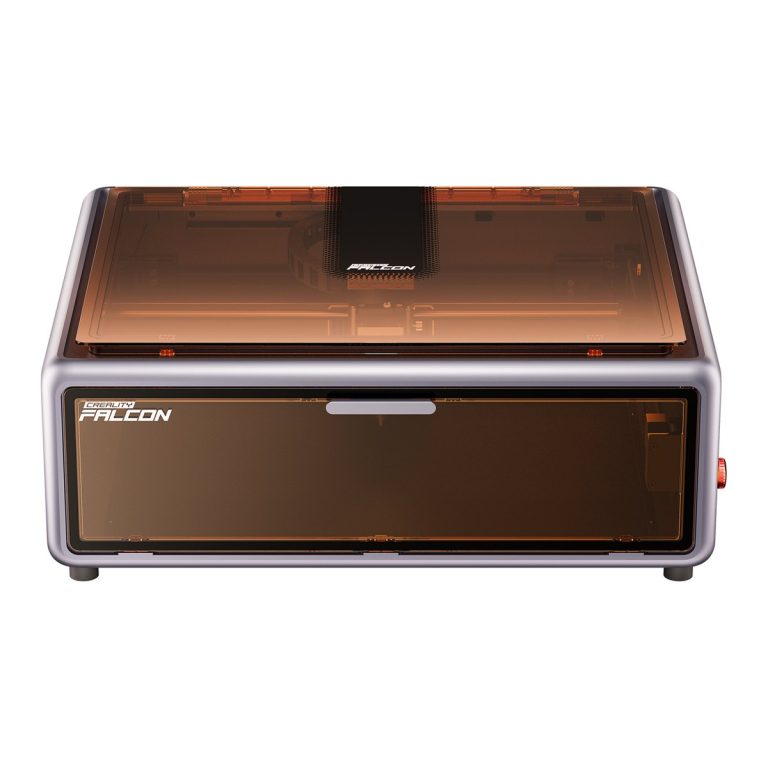
Creality Falcon A1
Not tested by Nick. The easiest first laser here.
- Class 1 enclosure, and the laser stops if the lid opens.
- Arrives fully assembled, so it’s ready out of the box.
- Built in HD camera for previewing and placing designs.
- 10W diode, 381 x 305 mm work area.
- The All in One Kit adds an air purifier for 699 dollars.
466 dollars at Creality Falcon’s store (599 before the Halloween markdown), store price checked October 26, 2026
Falcon A1 at CrealityCreality Falcon A1C
Not tested by Nick. The cheapest way into a Class 1 box with autofocus.
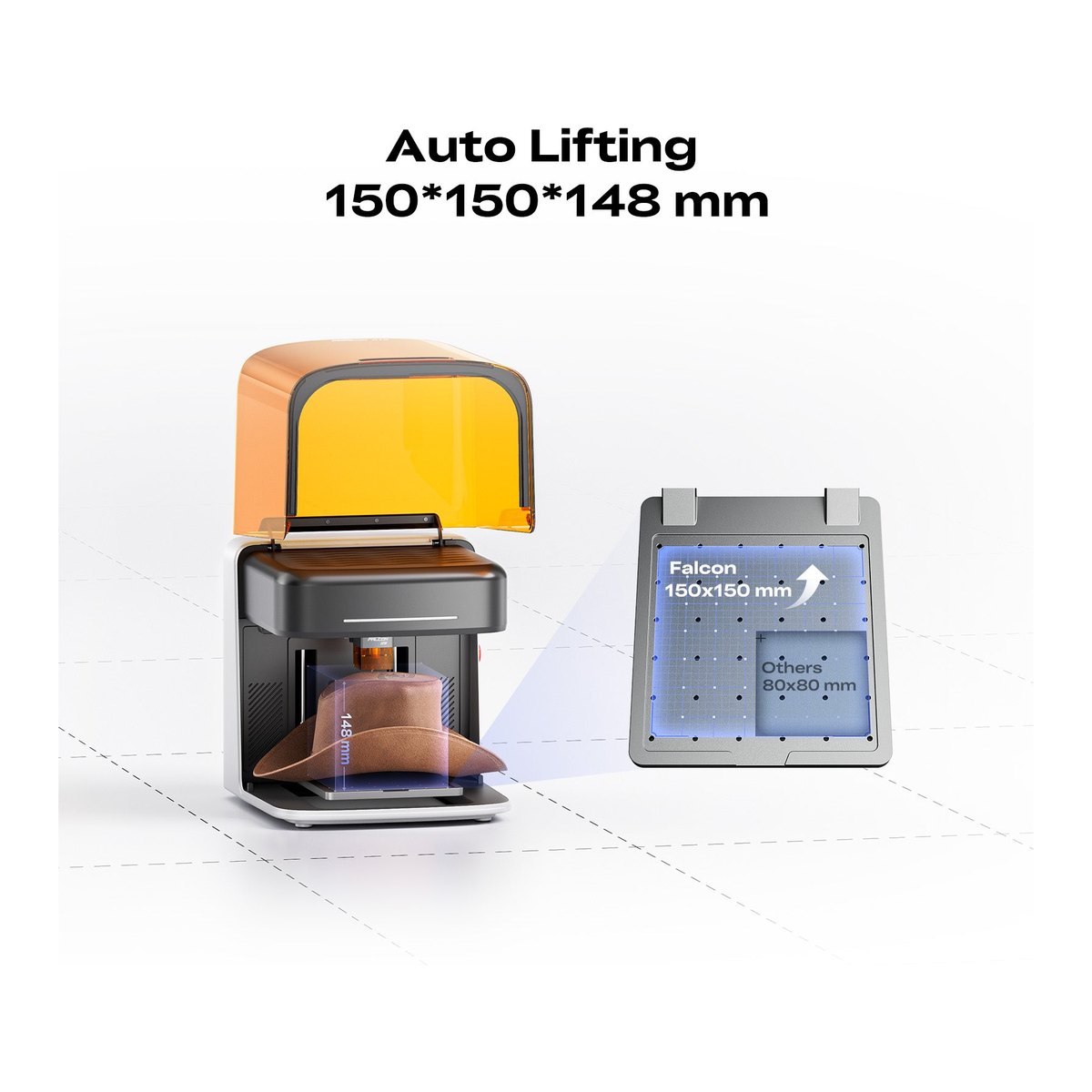
- Class 1 enclosure, 150 x 150 mm bed.
- True autofocus with a lifting platform, so you don’t set the height by hand.
- Swappable 5W and 10W diode modules and a 1.2W infrared module for metal.
- The Basic version has no camera.
269 dollars with the 5W module at Creality Falcon’s store, store price checked October 26, 2026
Falcon A1C at CrealityCreality Falcon2 Pro
Nick uses this. The step up for a small business.
- Nick’s own laser. At 4:34 in his video he says it keeps the smoke, dust and noise inside, though it’s still loud.
- FDA Class 1, 400 x 400 mm, with a top camera for positioning.
- Sold as 22W, 40W and 60W. Creality says the 60W cuts 22 mm basswood in one pass.
- Debris drawer underneath for cleanup.
1,899 dollars on Creality Falcon’s page (2,099 before). The page lists the 22W, 40W and 60W under that price, so check the power before you buy, store price checked October 26, 2026
Falcon2 Pro at CrealityxTool M2
Not tested by Nick. For paper crafts, stickers and colour.
- A diode laser and a CMYK inkjet printer in one Class 1 machine.
- Two cameras, 426 x 320 mm work area.
- xTool says the 10W cuts 8 mm basswood in one pass.
- The 10W standalone leaves out the printing module. The Color Print and Cut Bundle is 599 dollars.
- xTool has no affiliate programme with us, so there’s no button.
499 dollars for the 10W standalone at xTool’s store, store price checked October 26, 2026
Sculpfun E1
Not tested by Nick. A Class 1 box with a camera and a bigger bed for 499 dollars.
- Class 1 enclosure with a built in camera.
- 400 x 320 mm work area.
- The 499 dollar version is a single 12W diode. A 21W version with a 3W infrared laser for metal is sold too.
- Sculpfun has no affiliate programme with us.
499 dollars for the 12W at Sculpfun’s store (599 before), store price checked October 26, 2026
Creality Falcon2
Not tested by Nick. The biggest bed for the money.
- 22W diode with integrated air assist.
- 400 x 415 mm work area.
- Open frame and FDA Class 4, so you need laser goggles and someone watching it.
549 dollars at Creality Falcon’s store (719 before), store price checked October 26, 2026
Falcon2 at CrealityWeCreat Vision
Not tested by Nick. For batch work and long boards.
- Class 1 enclosure, autofocus and a top HD camera.
- A pass through conveyor feeds material up to 3,480 mm long.
- 20W diode, with an optional 2W infrared module for metal.
1,590 dollars for the 20W Basic Pack at WeCreat’s store, store price checked October 26, 2026
Vision at WeCreatAtomstack P1
Not tested by Nick. The cheapest enclosed laser in our directory.
- Class 1 enclosure, 5W diode.
- Small 110 x 110 mm bed, so think keychains and coasters, not signs.
- Atomstack says it cuts 3 mm basswood plywood in one pass.
- Atomstack has no affiliate programme with us.
219 dollars at Atomstack’s store (299 before), store price checked October 26, 2026
Beginner lasers compared
Read across for the laser class first. Class 1 means the box keeps the beam in. The rest of this table is a trade between bed size, power and price.
| Laser | Safety class | Diode power | Work area (mm) | Camera | Store price | Nick |
|---|---|---|---|---|---|---|
| Creality Falcon A1 | Class 1 | 10W | 381 x 305 | Yes | 466 dollars | Not tested |
| Creality Falcon A1C | Class 1 | 5W or 10W | 150 x 150 | No | 269 dollars (5W) | Not tested |
| Creality Falcon2 Pro | Class 1 | 22W to 60W | 400 x 400 | Yes | 1,899 dollars | Nick uses this |
| xTool M2 | Class 1 | 10W to 40W | 426 x 320 | Yes, two | 499 dollars (10W) | Not tested |
| Sculpfun E1 | Class 1 | 12W or 21W | 400 x 320 | Yes | 499 dollars (12W) | Not tested |
| Atomstack P1 | Class 1 | 5W | 110 x 110 | No | 219 dollars | Not tested |
| WeCreat Vision | Class 1 | 20W to 45W | 420 x 290 | Yes | 1,590 dollars (20W) | Not tested |
| Creality Falcon2 | Class 4 | 22W | 400 x 415 | No | 549 dollars | Not tested |
| Atomstack Swift | Open frame | 7W or 12W | 300 x 300 | No | 114 dollars (7W) | Not tested |
What to know before your first laser
Nick’s one laser video is a project on denim, not a review, but it’s full of the small lessons a first laser teaches. Here they are, with the parts a spec sheet leaves out.
Give it the flattest surface you can. In his video at 6:21 Nick calls this one of the most important things to remember. He slides a flat board inside the jeans before every job, because any wrinkle or uneven spot shows up in the engraving.
Test before you burn the real thing. He runs four small text samples at 5, 8, 10 and 12% power at the same speed, then picks the cleanest. The 5% one didn’t show at all. He also says your power levels will be different from his, so copy the method, not the numbers.
A camera saves a lot of guessing. With a camera you place the design on a photo of the bed instead of measuring. The Falcon A1, Falcon2 Pro, xTool M2, Sculpfun E1 and WeCreat Vision all have one. The A1C Basic, the P1 and the Falcon2 don’t.
Smaller designs are easier. Nick says he went overboard on size, which made it hard to find a flat area to put each design on. Start small.
Enclosed or open frame?
For a beginner, enclosed. The difference is the laser class. The FDA doesn’t treat a Class 1 product as a hazard. It says a Class 4 laser is an immediate eye and skin hazard from the direct or reflected beam, and may also be a fire hazard.
An open frame machine like the Falcon2 is Class 4. It’s cheaper for the size and there’s no box limiting what you can put under it. You pay for that with laser goggles, and since the FDA flags Class 4 as a fire hazard, you stay with the machine while it runs.
An enclosure keeps the beam in. It doesn’t make the smoke go away. Nick likes that his box keeps smoke and dust inside, but it still has to go somewhere. That’s why Creality sells the A1 in a kit with an air purifier. Plan to vent the smoke outside or filter it either way.
How much laser power do you need?
Diode power is the light output, and it decides how thick a board you can cut in one pass. Engraving can need much less. Nick’s denim job ran at 12% power. Here’s what the makers themselves say each power level cuts.
| Laser | Power | Maker’s cut claim, one pass |
|---|---|---|
| Atomstack P1 | 5W | 3 mm basswood plywood |
| Creality Falcon A1 | 10W | 6 mm basswood, 5 mm black acrylic |
| xTool M2 | 10W | 8 mm basswood, 3 mm black acrylic |
| xTool M2 | 20W | 10 mm basswood, 8 mm black acrylic |
| Sculpfun E1 | 21W | 12 mm wood |
| xTool M2 | 40W | 15 mm basswood, 11 mm black acrylic |
| Creality Falcon2 Pro | 60W | 22 mm basswood |
By the makers’ own figures, 5W to 10W handles engraving and 3 to 8 mm plywood. Go to 20W and up if you want 10 mm boards for signs and boxes in one pass. Every acrylic figure the makers give is for black acrylic, so don’t read them as clear acrylic numbers.
LightBurn or the maker’s own software?
Creality and xTool give you their own software free. Creality’s is Falcon Design Space, linked from every Falcon product page. xTool’s is xTool Studio. Atomstack lists its own AtomStack Studio for the Swift.
LightBurn is the paid option. LightBurn Core is 99 dollars from LightBurn’s own store, for GRBL and similar controllers, with a year of updates and use on up to three computers. There’s a free trial, so try it before you pay.
Nick uses LightBurn with his Falcon2 Pro. In his video at 6:39 he takes a camera overlay of the bed in LightBurn, then drops each design onto the photo of the jeans. Atomstack lists the Swift as LightBurn compatible, and OMTech says the same of its K40+.
What a laser costs to run
The machine is most of the money, but not all of it. These are common extras and materials, with today’s store prices.
| Item | What it’s for | Store price |
|---|---|---|
| Creality Falcon 6 in basswood plywood, 20 pack | Practice and small projects | 18.90 dollars |
| xTool 1/8 in basswood plywood, 18 pcs | Practice and small projects | 26.99 dollars |
| Creality Falcon 12 in frosted acrylic, 10 pack | Signs, keychains, layered pieces | 29.99 dollars |
| Sculpfun SG1 safety goggles | Eye protection for open frame lasers | 39.99 dollars |
| xTool laser safety goggles | Eye protection for open frame lasers | 49 dollars |
| Sculpfun S9 Pro air assist kit | Air assist for Sculpfun lasers | 79.99 dollars |
| Creality Falcon honeycomb, 500 x 500 mm | Honeycomb cutting bed | 99.99 dollars |
| Creality Falcon Rotary Kit Pro | Engraving tumblers and other round items | 109 dollars |
| LightBurn Core licence | Optional software | 99 dollars |
Starting a small laser business
The best laser engraver for a small business is the one that keeps up with your best selling product, not the most powerful one you can afford. Pick by what you’ll make.
Personalised gifts and wood signs. A 10W to 20W enclosed diode like the Falcon A1 handles names on cutting boards, coasters and plywood signs. Add the Falcon Rotary Kit Pro if tumblers are on your list.
Custom clothing. Nick’s video is exactly this: designs engraved into old jeans, testing power so only the top layer comes off. He finishes by saying the technique could get you started selling unique pieces.
Stickers, cards and paper crafts in colour. That’s the xTool M2’s job, because it prints the colour before the laser cuts the shape.
Long signs and batches. Passing long boards through matters here. The WeCreat Vision feeds boards up to 3,480 mm, and the xTool S1 takes them to 3,000 mm with its conveyor, at 1,699 dollars for the 40W Basic Bundle on October 26, 2026.
Moving up to CO2 later. The cheapest CO2 machine we track is the OMTech K40+, a 45W laser at 599.99 dollars (1,099.99 before) with a small 300 x 200 mm bed, cooled by an external water pump.
Designs are the other half. Nick makes his in Midjourney, an AI image tool, and says that if you plan to sell what you make, it’s a must have tool that saves hours of hunting for a design.
Is a laser engraver worth it?
For a maker who already has a 3D printer, often yes. A printer builds shapes. A laser adds names, pictures and flat parts in wood, acrylic and even denim. That’s the personalised work Nick points to when he talks about selling what you make.
It’s not worth it if you won’t give it a safe place to run. Even an enclosed laser needs the smoke vented, and an open frame one needs goggles and supervision. If that’s a problem, the Class 1 machines are the honest answer. Budget for materials too, and goggles if you go open frame. The costs table above prices them.
Start at the bottom of the range. A 219 to 466 dollar enclosed diode teaches you settings, materials and design files. It shows you what you actually make and sell before a 1,500 dollar machine is on the table.
Laser sales right now: Halloween, then Black Friday
Several laser makers were running Halloween sales on their own stores on October 26, 2026. Creality Falcon was running a Halloween Mega Sale with no end date shown. That’s where the Falcon A1 at 466 dollars and the Falcon2 Pro at 1,899 come from. Sculpfun’s sale page says its Halloween Sale runs October 13 to November 1. Atomstack, WeCreat and OMTech also had Halloween sales up, with no end dates shown.
None of them had posted 2026 Black Friday dates yet. The one confirmed item is xTool, whose Black Friday page opens Creator’s Club member early access on October 30. Its main sale dates aren’t out.
So if a Halloween price already suits you, it’s a real price on the maker’s own store today. Nobody has said yet whether Black Friday will go lower.
Black Friday deals Store prices for printers and lasers, from the makers’ own stores.
See the dealsBeginner laser questions
What is the best laser engraver for beginners?
An enclosed Class 1 diode laser. For most people that’s the Creality Falcon A1, which was 466 dollars at Creality Falcon’s store on October 26, 2026. It arrives assembled and has a camera. The Falcon A1C at 269 dollars is the cheaper way in, with autofocus but a smaller bed.
What is the best laser engraver for a small business?
Pick by what you’ll sell. A 10W to 20W enclosed diode covers gifts and signs. The xTool M2 adds colour printing for stickers and cards. The WeCreat Vision feeds long boards through for batch work. Nick uses a Creality Falcon2 Pro, which Creality sells as 22W, 40W and 60W.
Is a diode or CO2 laser better for beginners?
A diode. Every beginner pick here is a diode laser, and most come in a Class 1 box. The cheapest CO2 machine we track, the OMTech K40+, was 599.99 dollars on October 26, 2026, with a 300 x 200 mm bed and an external water pump for cooling.
Do I need safety glasses with an enclosed laser?
Creality says its Class 1 Falcon A1 needs no goggles because the enclosure filters the laser light. Open frame Class 4 machines like the Falcon2 do need goggles rated for the laser’s wavelength. Either way the smoke needs venting.
Do I need LightBurn?
No. Creality and xTool give you their own software free. LightBurn Core is a 99 dollar option with a free trial. Nick uses it with his Falcon2 Pro for its camera overlay.
What is the Creality Falcon A1C?
A compact Class 1 diode laser with a 150 x 150 mm bed, true autofocus and swappable 5W, 10W and 1.2W infrared modules. The Basic version has no camera. It was 269 dollars with the 5W module at Creality Falcon’s store on October 26, 2026.
- Planet 3DP video: How To Laser Engrave Clothing! (November 2024), Nick's Creality Falcon2 Pro, features at 4:34, LightBurn camera at 6:39, power test at 7:13 (checked October 26, 2026)
- FDA: Laser Products and Instruments, hazard classes (checked October 26, 2026)
- Creality Falcon store: Falcon A1 (checked October 26, 2026)
- Creality Falcon store: Falcon A1C (checked October 26, 2026)
- Creality Falcon store: Falcon2 22W (checked October 26, 2026)
- Creality Falcon store: Falcon2 Pro (checked October 26, 2026)
- Creality Falcon store: Halloween Mega Sale (checked October 26, 2026)
- WeCreat store: Vision (checked October 26, 2026)
- xTool store: M2 product page and variant prices (checked October 26, 2026)
- xTool store: S1 product page (checked October 26, 2026)
- xTool store: Black Friday and Cyber Monday page (checked October 26, 2026)
- Sculpfun store: E1 product page and Halloween Sale page (checked October 26, 2026)
- Atomstack store: P1 and Swift product pages, Halloween Sale page (checked October 26, 2026)
- OMTech store: K40+ product page (checked October 26, 2026)
- LightBurn store: LightBurn Core licence (checked October 26, 2026)
- Planet 3DP laser directory: specs written from each maker's own pages (checked October 26, 2026)
- Planet 3DP price tracker: store prices for every machine and extra except the Falcon2 Pro (checked October 26, 2026)

Host of Planet 3DP. I have been 3D printing for over four years, with tens of thousands of print hours across Bambu Lab, Anycubic, Creality, Elegoo and Snapmaker machines. The Creality Falcon2 Pro on this page is the laser I used in my clothing engraving video. Planet 3DP on YouTube.
Last checked October 26, 2026.