

Some links on this page are affiliate links. If you buy through one, Planet 3DP earns a small commission at no extra cost to you. It never changes what we recommend. How this works.
Bambu Studio added Texture to Color Painting, four new fuzzy skin types, stronger infill options, a spiral ironing pattern and a Filament Manager over the past year. Nick read every release from version 2.3 to 2.8 and picked the 20 updates you can actually use. Here they are, in his order, with the version each arrived in and where to find it.
Most of us click update without reading a word of the release notes. Nick counted 18 releases and 97 features and changes in his year. Bambu’s GitHub page lists 19 releases between version 2.3.0 in October 2025 and the 2.8.4 beta in September 2026, and we checked every version number below against those notes.
- Nick's number one
- Texture to Color Painting, version 2.7.0
- His personal favourite
- Different filaments for walls and infill, version 2.4.0
- Best for strength
- Sparse infill line multiplier and alternate extra wall
- Best for surfaces
- Archimedean spiral ironing and the sub top surface pattern, 2.8.3
- Hidden
- Two of the 20 only appear once you turn on Developer Mode
- Newest full release
- 2.8.2.61 (the 2.8.3 and 2.8.4 features are still in beta)
Picks from Nick’s video, linked below. Versions checked against Bambu Lab’s GitHub release notes on October 27, 2026.
- 1:10 Texture to Color Painting
- 2:13 Fuzzy skin noise types
- 3:15 Counterbore hole bridging
- 3:38 Filament color mixing
- 5:05 Skipped parts skip the flush
- 5:47 Sparse infill line multiplier
- 7:32 Alternate extra wall
- 8:29 Archimedean spiral ironing
- 9:35 Sub top surface pattern
- 10:16 Ironing the support interface
- 11:01 Tree supports that don't collapse
- 13:38 The Filament Manager
- 16:27 How to enable Developer Mode
- 17:07 A much shorter prime tower
- 17:40 Filaments for walls and infill
Bambu Studio updates: Nick’s top 20 at a glance
| # | Update | Version | How you use it |
|---|---|---|---|
| 1 | Texture to Color Painting | 2.7.0 | Use it on a textured model |
| 2 | Four new fuzzy skin noise types | 2.5.3 | Pick a noise type in fuzzy skin |
| 3 | Counterbore hole bridging | 2.8.0 | Quality, Advanced |
| 4 | Filament color mixing (experimental) | 2.5.3 | Add Mixed Filament, under the filament list |
| 5 | Skip a part, skip its color flush | 2.3.0 | Automatic |
| 6 | Sparse infill line multiplier | 2.4.0 | Strength, Sparse infill |
| 7 | Outer wall and infill interlocking | 2.4.0 | A setting you turn on |
| 8 | Alternate extra wall | 2.7.1 | A setting you turn on |
| 9 | Archimedean spiral ironing | 2.8.3 beta | Pick it as the ironing pattern |
| 10 | Sub top surface pattern | 2.8.3 beta | Automatic, monotonic by default |
| 11 | Ironing the support interface | 2.5.0 | A setting you turn on |
| 12 | Tree supports with lightning reinforcement | 2.8.2 | Automatic |
| 13 | Boolean without merging first | 2.3.0 | Boolean tool |
| 14 | Align and distribute | 2.4.0 | Select several, then align or distribute |
| 15 | Scale to print volume, Subdivide part | 2.5.0 | Right click a part |
| 16 | The Filament Manager | 2.6.1 | Its own page, notes added in 2.8.2 |
| 17 | Top and bottom patterns below 100% | 2.5.0 | Pick a pattern for top or bottom |
| 18 | Reversed face warning | 2.8.3 beta | Automatic, when you select a model |
| 19 | No sparse layers prime tower | 2.8.2 | Developer Mode, Others, Prime tower |
| 20 | Different filaments for walls and infill | 2.4.0 | Developer Mode, object list, Others, Advanced |
Multicolor: paint less, waste less
1. Texture to Color Painting (2.7.0). Nick calls it the biggest feature Bambu Studio shipped all year. Download a MakerWorld model with artwork baked into its texture, and this turns that texture straight into multicolor paint. You don’t paint anything. It’s number one at 1:10.
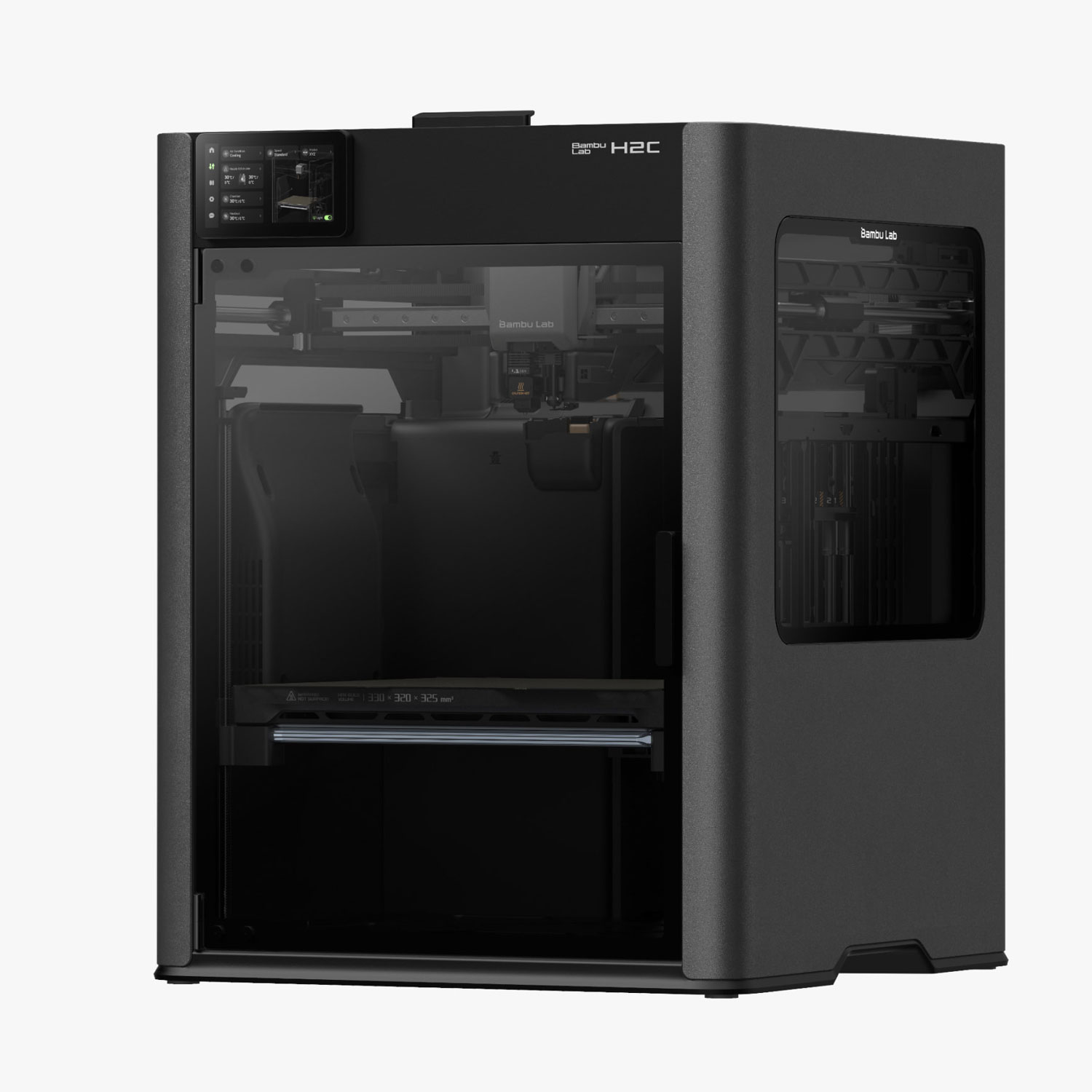
4. Filament color mixing (2.5.3). Got white and red but need pink? This prints two filaments together at a ratio you pick to make a new colour. Bambu labels it experimental, and Nick warns it’s very heavy on filament waste unless you own a machine like an H2C. Look closely and you can still tell it’s mixed. That’s at 3:38.
5. Skipping a part skips the flush too (%s). Skip one part on a busy plate and the printer used to keep doing every colour change for it anyway. Now those changes are skipped with the part. Nothing to switch on.
19. A much shorter prime tower (2.8.2). The setting is No sparse layers. It builds the prime tower only up to where colour changes actually happen, instead of every layer. It lives under Others, then Prime tower, and you’ll only see it in Developer Mode.
20. Different filaments for walls, solid infill and sparse infill (2.4.0). In Developer Mode, the object list’s Others tab lets you give one object three filaments. Nick warns that adds waste unless you have a machine like the H2C or X2D. It’s at 17:40.
Better surfaces
2. Four new fuzzy skin noise types (2.5.3). Fuzzy skin makes the outside rough and grippy. Nick uses it to hide layer lines. Alongside the classic mode there are now Perlin, Billow, Ridged Multifractal and Voronoi, plus new generator modes. He says the difference between them is bigger than he expected, and a side by side video is coming. Fuzzy skin is at 2:13.
9. Archimedean spiral ironing (2.8.3). One spiral from the middle out, like a cinnamon roll, so the path doesn’t keep stopping and reversing. Nick used to avoid ironing on signs with text because it made them look worse. This pattern is the reason he’d use it now. That’s at 8:29.
10. The sub top surface pattern (2.8.3). The layer under your top used to print like any other solid infill, and faint lines showed through. It now has its own pattern, monotonic by default. It’s automatic in the current beta.
11. Ironing the support interface (2.5.0). Contributed by a community member, Noisyfox. It irons the top layer of your supports, so the underside of an overhang comes out smoother without a second filament. Nick points out that’s most of us, unless you run an X2D or H2D. It’s at 10:16.
17. Patterns on top and bottom surfaces (2.5.0). Top and bottom surfaces can now use infill patterns below 100%, a contribution from Buildasaurus. Nick says it’s just for fun and decorative prints, not functional parts.
Ironing still needs tuning. Bambu’s own note for the spiral pattern says the defaults won’t suit every job. Speed, temperature and filament all change the result. Nick’s 2.8.3 video covers it at 3:02.
Watch Planet 3DP on YouTubeNick reads every Bambu Studio release and explains it in plain English.
SubscribeStronger parts without 100% infill
6. Sparse infill line multiplier (2.4.0). One of Nick’s top favourites. Instead of turning infill way up, it prints each infill line more than once so the lines get thicker. You’ll find it under Strength, Sparse infill, where it’s called fill multiline. He prints large skulls for wall mounts and statues, and it’s now part of his workflow. It’s at 5:47.
7. Outer wall and infill interlocking (2.4.0). Break some prints open and the infill barely touches the walls. Bambu used a shoe model as the example. This ties the two together, and Nick says to turn it on for anything that takes a real load.
8. Alternate extra wall (2.7.1). Adds an extra wall on every other layer only. You get a good part of an extra wall’s strength for about half the time and cost. Nick is honest that the jury is still out for him. He hasn’t fully tested it yet. That’s at 7:32.
Supports, holes and model tools
3. Counterbore hole bridging (2.8.0). A counterbore is the step in a bolt hole that lets the head sit flush. The ledge is a flat overhang, so the slicer used to fill it with supports you then dig out. Now it can bridge the ledge instead. It’s under Quality, then Advanced, with three options: None, Partially bridged and Sacrificial layer.
12. Tree supports that don’t fall over as much (2.8.2). Bambu now adds lightning infill inside hollow tree supports by default, so the branches have something holding them up. Nothing to switch on.
13. Boolean without merging first (2.3.0). Combine or cut models at the object level, and feed in several parts at once. You no longer merge them into one object first.
14. Align and distribute (2.4.0). Select a group of objects or parts and line them up or space them evenly along X, Y or Z. Nick arranges plates for his print garden all the time.
15. Two right click tricks (2.5.0). Scale to print volume blows a part up to the biggest size your printer allows without stretching it. Subdivide part adds mesh to a blocky, low resolution model so it looks less chunky. It won’t fix a bad model. Both are at 12:53.
18. A warning for broken models (2.8.3). Some downloads have faces flipped inside out, and Nick sees it more with AI generated models. Bambu Studio now warns you when you select one.
When each update arrived
| Version | Released | On Nick’s list |
|---|---|---|
| 2.3.0 | October 14, 2025 | 5, 13 |
| 2.4.0 | November 18, 2025 | 6, 7, 14, 20 |
| 2.5.0 | January 27, 2026 | 11, 15, 17 |
| 2.5.3 | April 14, 2026 | 2, 4 |
| 2.6.1 beta | April 28, 2026 | 16 |
| 2.7.0 beta | May 14, 2026 | 1 |
| 2.7.1 | June 1, 2026 | 8 |
| 2.8.0 beta | June 25, 2026 | 3 |
| 2.8.2 | August 14, 2026 | 12, 19 |
| 2.8.3 beta | September 8, 2026 | 9, 10, 18 |
16. The Filament Manager
The Filament Manager arrived in 2.6.1. It keeps track of the filament you actually own, so you can view, edit and delete spools and keep notes on each. Since 2.8.2 your notes show right in the list. Nick uses his to record where each spool sits on his racks. It’s at 13:38.
It keeps growing. In the 2.8.3 beta your AMS can add a new spool to the list for you, and in the 2.8.4 beta Bambu Studio warns you before you delete a filament a model is using.
Smaller updates worth 30 seconds
- Clone a single part from the right click menu (2.8.2).
- Change Type became a submenu with checkmarks, so you can see what a part is (2.5.2).
- The Ctrl + 0 to 7 view shortcuts now work even when the 3D view doesn’t have focus (2.7.0).
- Move a whole plate at once from the right click menu (2.4.0).
- Zoom, pan and rotate in the 3D view feel more natural (2.8.3 beta).
How to turn on Developer Mode in Bambu Studio
Numbers 19 and 20 don’t appear until you turn on Developer Mode. Nick asked five people and none of them knew it was there. Here’s where it is, from his video at 16:27:
- Open the menu button at the top of Bambu Studio and go to Preferences.
- Open the Others tab.
- Under Developer mode, tick Develop mode, then close the window.
Nick went on to count around 110 settings that stay hidden until that box is ticked. His follow up video, Bambu Studio Has A Hidden Developer Mode, walks through the ones worth turning on.
Which printers get the most from these
Every update here works on any Bambu Lab printer that Bambu Studio supports. A few pay off most on a machine that doesn’t purge between colours. Nick names the H2C and the X2D for color mixing and for giving walls and infill different filaments. His X2D engineering filament test shows what a second nozzle does for supports.
Bambu Studio update questions
What's new in Bambu Studio this year?
The first three on Nick’s list are Texture to Color Painting (2.7.0), four new fuzzy skin noise types (2.5.3) and counterbore hole bridging (2.8.0). The full list of 20, with versions, is in the table above.
How do I convert a model's texture into multicolor paint?
Use Texture to Color Painting, added in version 2.7.0. It reads the artwork baked into a textured model and turns it into multicolor paint on the surface, so you don’t paint by hand.
How do I make a part stronger without raising infill?
Try the sparse infill line multiplier from version 2.4.0, under Strength and Sparse infill. It prints each infill line more than once. Outer wall and infill interlocking and alternate extra wall also add strength without more infill.
What are the new fuzzy skin types in Bambu Studio?
Version 2.5.3 added Perlin, Billow, Ridged Multifractal and Voronoi alongside the classic mode, plus new generator modes that change how the pattern is built.
How do I turn on Developer Mode in Bambu Studio?
Go to Preferences from the menu button at the top, open the Others tab and tick Develop mode under Developer mode. Settings like No sparse layers then appear.
How do I make the prime tower shorter?
Turn on Developer Mode, then enable No sparse layers under Others and Prime tower. Added in version 2.8.2, it only builds the tower where colour changes actually happen.
Why do my tree supports keep falling over?
Since version 2.8.2 Bambu Studio adds lightning infill inside hollow tree supports by default, which holds the branches up. Update to 2.8.2 or later and it’s on.
- Planet 3DP video: Bambu Studio, I Went Through A Year Of Updates (September 2026) (checked October 27, 2026)
- Bambu Lab on GitHub: Bambu Studio releases list (checked October 27, 2026)
- Bambu Lab on GitHub: release notes 2.3.0 (checked October 27, 2026)
- Bambu Lab on GitHub: release notes 2.4.0 (checked October 27, 2026)
- Bambu Lab on GitHub: release notes 2.5.0 (checked October 27, 2026)
- Bambu Lab on GitHub: release notes 2.5.2 (checked October 27, 2026)
- Bambu Lab on GitHub: release notes 2.5.3 (checked October 27, 2026)
- Bambu Lab on GitHub: release notes 2.6.1 (checked October 27, 2026)
- Bambu Lab on GitHub: release notes 2.7.0 (checked October 27, 2026)
- Bambu Lab on GitHub: release notes 2.7.1 (checked October 27, 2026)
- Bambu Lab on GitHub: release notes 2.8.0 (checked October 27, 2026)
- Bambu Lab on GitHub: release notes 2.8.2 (checked October 27, 2026)
- Bambu Lab on GitHub: release notes 2.8.3 beta (checked October 27, 2026)
- Bambu Lab on GitHub: release notes 2.8.4 beta (checked October 27, 2026)
- Planet 3DP video: Bambu Studio Has A Hidden Developer Mode (October 2026) (checked October 27, 2026)

Host of Planet 3DP. I’ve used Bambu Studio almost every day for years and read every release so you don’t have to. Planet 3DP on YouTube.
Last checked October 27, 2026.