
Some links on this page are affiliate links. If you buy through one, Planet 3DP earns a small commission at no extra cost to you. It never changes what we recommend. How this works. As an Amazon Associate I earn from qualifying purchases.
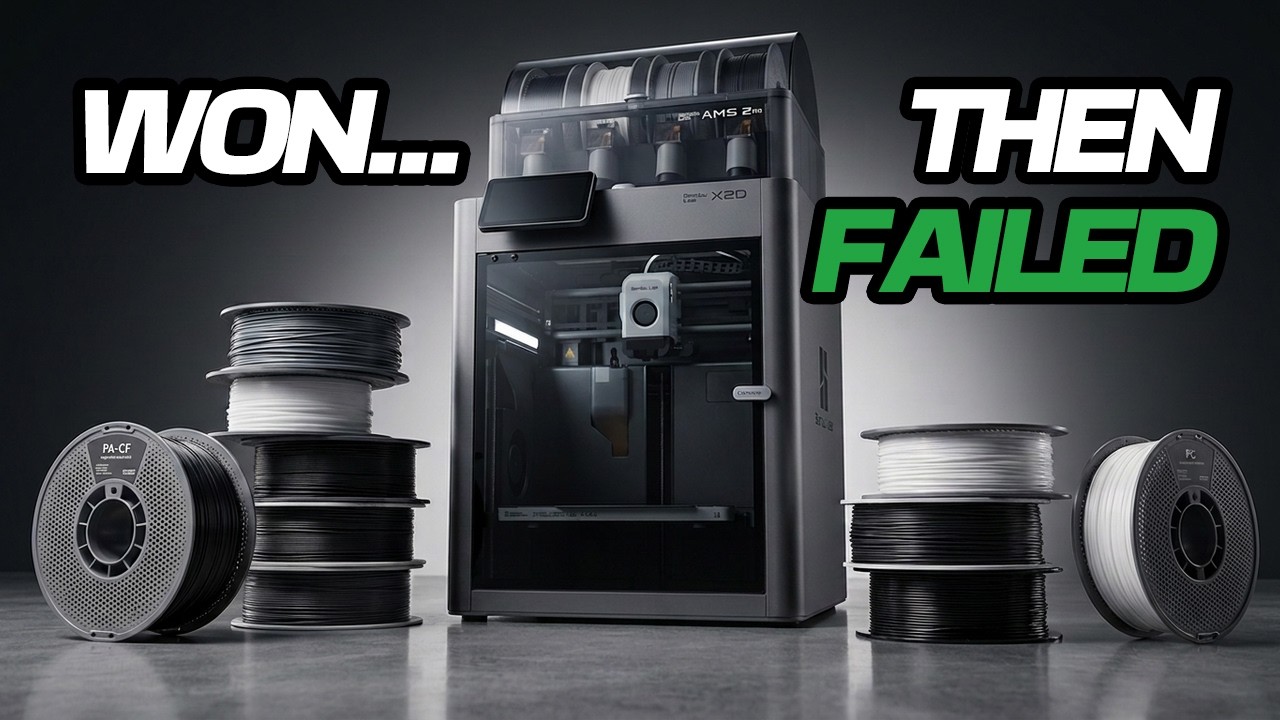
I had two support materials and every engineering filament I own, and one question: which support peels off cleanest? I ran the same test on all of them on the Bambu X2D. There isn’t one winner, which is the whole point. Here is every result.
- Our pick for nylons
- Support for ABS. It won three of the four nylon rounds
- The one that flips
- PA6-CF. Support for ABS welds on, so switch to ASA
- ABS and PC family
- Support for ABS, with PC as the one trade off
- TPU
- PETG, or Support for PLA. Both run cool enough
- Don't do this
- Don’t run TPU through the AMS 2 Pro. Use an external spool
Every result from my own test on the X2D, filmed July 2026.
Watch the full test
How the test worked
The X2D has two nozzles. The engineering filament goes on the main nozzle and the support material goes on the auxiliary one, so the support that touches your part is a different plastic from the part itself. That’s the whole reason the second nozzle exists. Supports come off and your parts stop looking 3D printed.
Sometimes a support welds itself onto the model and you lose an afternoon picking and sanding. A good support interface stops that.
So the test was simple. The same two supports, ASA and Bambu’s Support for ABS, against every engineering filament I have. Normal supports, the support material set as the interface, nothing fancy and no special settings. I wanted it to be something a beginner could copy.
Bambu Studio does the hard part for you: when you set a separate material as the interface, it changes the spacing settings itself. If any of this sounds fiddly, it mostly isn’t.
Get the pairing guideEvery filament here, the support to run against it and the temperatures to use, on one page.
Get the free guideNylons: Support for ABS takes three of four
PA stands for polyamide, which you probably know as nylon. It’s the strong stuff. Tough, stiff, and it takes heat. Its one real weakness is that it drinks moisture straight out of the air.
Nylon used to have its own Bambu support material, and I say in the video that it got discontinued recently, so ASA became the go to answer. Hot enough to keep up, and a different enough plastic that it shouldn’t weld itself on. That’s the theory. Here’s what happened.
| Filament | ASA | Support for ABS | Winner |
|---|---|---|---|
| Sunlu EZ PA | A nasty groove down the centre of the interface | Very clean, nice and flat underneath | Support for ABS |
| PA12-CF | The interface stuck and the support welded to the middle | Came off clean, super clean layer on the model | Support for ABS |
| PA6-GF | Came off super clean | Even cleaner. The interface was flawless | Support for ABS |
| PA6-CF | Almost perfect, a few minor lines on the support area | Welded to the part. No clean release at all | ASA |
That PA6-CF round is the one to remember. The exact same Support for ABS that gave me the cleanest nylon of the whole test, on PA6-GF, failed completely on PA6-CF. I printed it twice to be sure. Then ASA came out almost perfect.
So on the stiffest nylon, the answer flips. That’s why this is a table and not a single recommendation.
ABS and the PC family: Support for ABS, with one asterisk
These four run hotter than the nylons, so a cool support would cook. The question was which of the two holds up at temperature and still lets go clean.
ASA was the support in the nylon rounds. Here it’s the part itself, which makes for a fun result. ASA support on an ASA part is the same material, and it left visible lines where the model sagged into the support. That’s exactly what you’d expect, and the same thing happens with PLA on PLA.
Support for ABS came out pristine, and here’s why. It ran zero interface spacing, so the model can’t sag into it. That’s the secret to a clean bottom surface.
| Filament | What it is | Result | Winner |
|---|---|---|---|
| ASA | ABS that survives outdoors. Sun, rain, no yellowing | ASA support left sag lines. Support for ABS was pristine | Support for ABS |
| ABS-GF | ABS with glass fibre. Stiffer, steadier, rigid indoor material | ASA interface was flat but rough. Support for ABS was smooth | Support for ABS |
| PC-ABS | A blend. PC for the heat, ABS for easy printing | ASA gave stringing and a sagged look. Support for ABS was clean | Support for ABS |
| PC | Polycarbonate. The strongest, most heat resistant plastic most of us print | Support for ABS gave a beautiful flat surface and would not release. ASA released fine but left grooves | A genuine trade off |
PC is the honest asterisk. Support for ABS left the better surface underneath and I couldn’t get it to let go. I ended up taking a chisel to it, and on a real part that’s a problem. ASA released without a fight and left small grooves and the same sagging look.
Pick your poison on that one. Clean but stuck, or easy but rough. PC also warps harder than anything else here, which is exactly why it wants a heated chamber.
TPU, and the AMS warning
TPU is the soft one. It’s basically rubber you can print. It flexes, it bounces, it grips.
Before anything else, one warning that will save you an afternoon. Don’t run TPU through the AMS 2 Pro. Bambu recommends against it and they’re right. I forced it to work, but it rippled and bound in the PTFE tubes and kept jamming at the same spot at the rear of the AMS. I had to pull the rear tube off and cut the filament from the spool to feed it back out.
Do this instead: run TPU from an external spool straight into the left nozzle, so there’s nothing for it to bind in. Or buy Bambu’s TPU for AMS, which is made for it. I didn’t have that, so I ran generic TPU, and it prints really nicely with the right setup.
Both of the main supports run hot, so they’re out of this round. TPU runs cool, which is where low temperature supports come in. I tried Support for PLA and a generic PETG as the interface.
The first Support for PLA pass got most of the way there. The outer edges released and a few spots fused to the model. That one was on me: I had support XY spacing set to zero, so the support printed right up against the part with no gap. Bambu Studio would normally set that for you when the interface is a different material.
The fix was quick. Spacing back to default, and interface layers from two to three. Night and day. The PLA interface snapped off rather than peeling, because PLA is fragile, and the surface underneath came out clean with a tiny bit of ripple left.
Then PETG, and it came out slightly cleaner again. So for TPU, PETG edges ahead, but Support for PLA is still a good option. Either one gets you there.
Watch Planet 3DP on YouTubeNew printers, slicer updates and hands on tests every week.
SubscribeThe whole cheat sheet
Every filament, both supports, one table. This is the version worth saving.
| Filament | Use this support |
|---|---|
| Sunlu EZ PA | Support for ABS |
| PA12-CF | Support for ABS |
| PA6-GF | Support for ABS |
| PA6-CF | ASA |
| ASA | Support for ABS |
| ABS-GF | Support for ABS |
| PC-ABS | Support for ABS |
| PC | Support for ABS for the surface, ASA if you need it to release |
| TPU | PETG, or Support for PLA |
One thing worth saying about all of these materials: they all need an enclosed printer. Bambu’s own material table lists nylon, ABS, ASA and polycarbonate as not recommended on an open frame machine, because they need the chamber heat to stop warping and layer separation. The X2D is enclosed, which is why this test is possible on it at all.
Common questions
What support material should I use on the Bambu X2D?
For nylons and the ABS and PC family, Support for ABS is the default. It gave the cleanest bottom surface in seven of the nine rounds I ran. The two exceptions are PA6-CF, where Support for ABS welded to the part and ASA won, and PC, where Support for ABS left the better surface but would not release.
Why does Support for ABS leave a cleaner surface?
Because it runs zero interface spacing, so the model cannot sag down into the support. When a support uses the same material as the part, the model droops into it slightly and you see lines underneath. Bambu Studio sets that spacing for you when you pick a different material as the interface.
Can I run TPU through the AMS 2 Pro?
Bambu recommends against it, and in my test it bound in the PTFE tubes and jammed at the rear of the AMS. I had to remove the rear tube and cut the filament to free it. Run TPU from an external spool straight into the left nozzle, or use Bambu’s TPU for AMS.
What support works with TPU?
A low temperature support. PETG came out slightly cleaner in my test, and Support for PLA was a close second. Set support XY spacing back to default and use three interface layers rather than two.
Is the second nozzle on the X2D worth it if I only print PLA?
Yes. You get less scarring and far less support removal, even on PLA. The auxiliary nozzle is slower and does less, but it only prints the support interface, so the speed hardly matters.
Do engineering filaments need an enclosed printer?
Bambu’s own material table lists nylon, ABS, ASA, polycarbonate and their reinforced grades as needing an enclosed printer, because they require higher bed and chamber temperatures to stop warping and layer separation. It lists them as not recommended on an open frame machine.
The machine and the filament
Everything above ran on the X2D. If you want to see how I keep mine running, there is a walkthrough on the X2D maintenance page.
Buying from Sunlu? Use code MRNGB2VN5D at checkout for a discount.
- Planet 3DP video: I Tested Every Engineering Filament on the Bambu X2D, 22 July 2026. Every result on this page (checked October 14, 2026)
- Bambu Lab filament guide material table: which materials need an enclosed printer, and the TPU bed range (checked October 14, 2026)

Host of Planet 3DP. I have been 3D printing for over four years, with tens of thousands of print hours on Bambu Lab, Anycubic, Creality, Elegoo and Snapmaker machines. Every result on this page is from my own test on my own machine. Planet 3DP on YouTube.
Last checked October 14, 2026.