

Some links on this page are affiliate links. If you buy through one, Planet 3DP earns a small commission at no extra cost to you. It never changes what we recommend. How this works. As an Amazon Associate I earn from qualifying purchases.
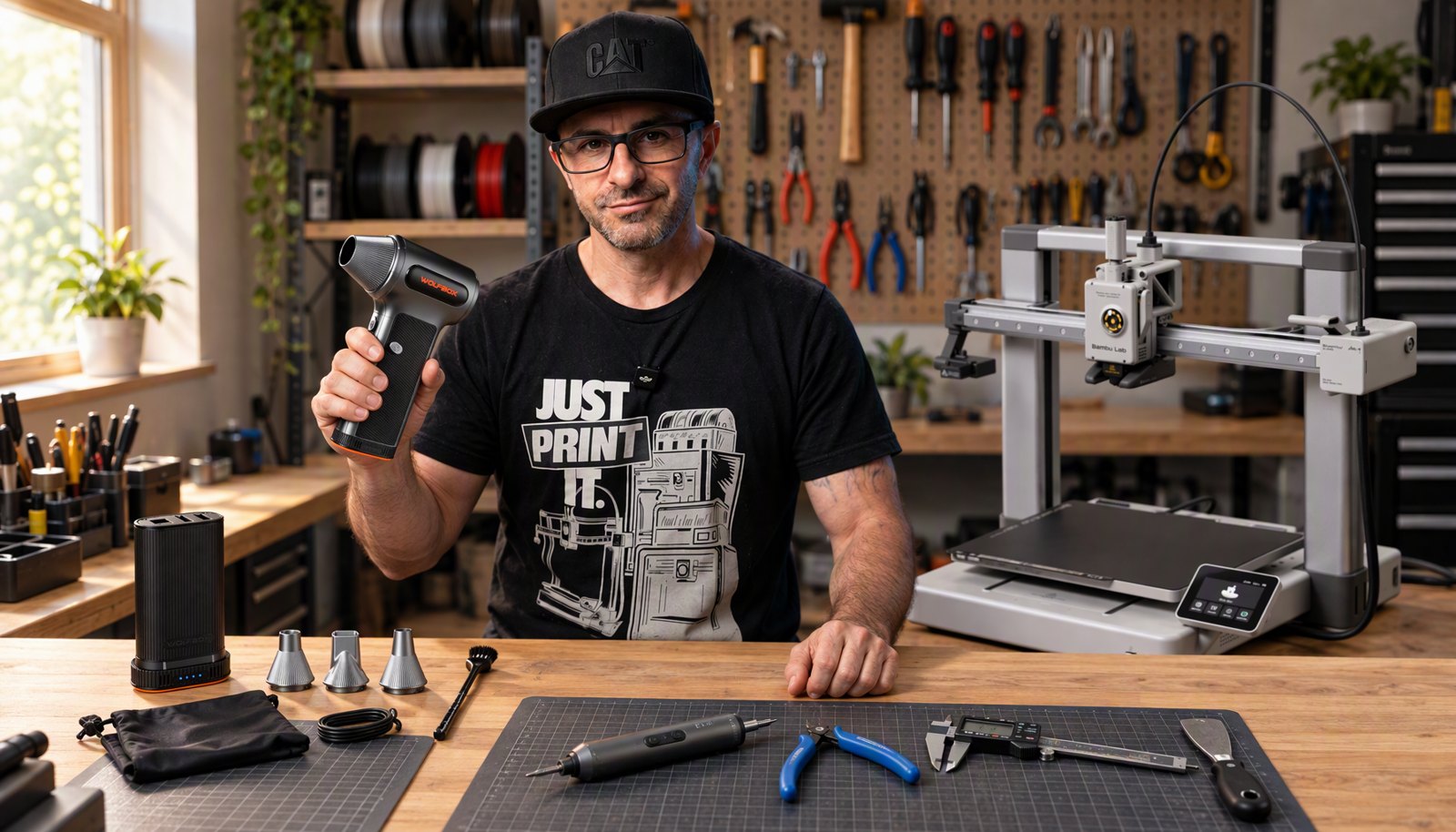
The 3D printer accessories worth buying are the cheap ones that take friction out of the jobs you do every week. Nick runs a print farm, and his own kit starts with three things: a cordless air blower, an electric screwdriver and an extruder unclogger. Everything below is something he uses on camera, with a link to the exact moment, plus the A1 upgrades that cost a few grams of filament instead of money.
- The bottom line
- Buy a cordless air blower, an electric screwdriver and an extruder unclogger first. They are Nick’s own top 3.
- Skip at first
- Hand Allen key sets, canned air and build plate glue or spray.
- Filament
- A dryer if you print often, then a rack that keeps spools off the floor.
- Finishing
- A wood chisel, flush cutters and a razor blade with a handle.
- Maintenance
- Blow it out, clean the plate, oil the rails, grease the Z screws.
- A1 owners
- Print the upgrades. The top mount needs a 1.99 dollar screws kit from Bambu Lab.
From Nick’s tools video (April 2026) and his A1 mods video. Bambu Lab prices read off its US store on October 26, 2026.
Nick’s top 3 3D printer accessories
If you only buy three things, buy these. They cover setup and fast maintenance, and Nick says you’ll use them constantly.
Wolfbox MF200 cordless air blower
Replaces canned air for good.
- Nick uses this: watch at 2:34.
- Cordless with a swappable battery, and one charge lasts Nick through several cleaning sessions.
- Blows out fans, rails, filters and plate dust between prints.
- Wolfbox sponsored Nick’s tools video.
Fanttik E2 Ultra electric screwdriver
Makes maintenance fast enough that you actually do it.
- Nick uses this: watch at 3:33.
- Nick used a hand Allen set for years before switching.
- His words on it: he doesn’t know why he waited so long.
- Every assembly and maintenance step moves faster.
Creality extruder unclogger
Clears a clog without taking the tool head apart.
- Nick uses this: watch at 4:00.
- Heat the hotend to 270, then push the metal rod down through the extruder from the top.
- Often you’ll hear a pop as the filament ejects from the nozzle.
- Nick has one machine that clogs after almost every print, so this gets used a lot.
What not to buy first
Nick has made some dumb purchases over the years, in his words, and he opens the tools video with three of them. Watch the skip list at 1:06.
Hand Allen key sets. He used them for years and only noticed the problem once he was building more printers. He was spending more time fighting screws than finishing the job. An electric screwdriver fixed it.
Canned air. It’s a habit from his years building PCs in a repair shop. He kept paying for it every order, and some cans went bad before he used them up. You also can’t blow out a whole printer with one.
Build plate glue and sprays. If your plate is clean and your first layer is dialed in, you don’t need them. A lot of people reach for glue when the real problem is surface prep.
Watch the tools video
Nick’s full 3D printing tool kit, by job
This is the whole bench in one table, in the order the jobs come up. Every row links to the moment in the tools video where Nick uses it, and to the store.
| Item | Job | In the video | Label | Buy |
|---|---|---|---|---|
| Wolfbox MF200 air blower | Cleaning | watch at 2:34 | Nick uses this. Sponsor | Amazon |
| Fanttik E2 Ultra screwdriver | Setup and assembly | watch at 3:33 | Nick uses this | Amazon |
| Creality extruder unclogger | Nozzle and hotend | watch at 4:00 | Nick uses this | Amazon |
| Digital calipers | Measuring | watch at 4:27 | Nick uses this | Amazon |
| SUNLU FilaDryer S4 | Filament | watch at 4:52 | Nick uses this | SUNLU |
| BIQU filament storage rack | Filament | watch at 5:42 | Nick uses this | Amazon |
| Wood chisel set | Support removal | watch at 5:58 | Nick uses this | Amazon |
| Flush cutters | Support removal | watch at 6:51 | Nick uses this | Amazon |
| Razor blade with handle | Finishing | watch at 7:03 | Nick uses this | Amazon |
| Tapo C100 camera | Watching prints | watch at 7:24 | Nick uses this | Amazon |
| 99% IPA | Plate cleaning | watch at 8:38 | Nick uses this | Amazon |
| Dawn Powerwash | Plate cleaning | watch at 8:38 | Nick uses this | Amazon |
| Super Lube oil | Rods and rails | watch at 9:06 | Nick uses this | Amazon |
| Liberty Oil | Rods and rails | watch at 9:20 | Nick uses this | Amazon |
| White lithium grease | Z screws | watch at 9:40 | Nick uses this | Amazon |
| Gear floss | Z screw threads | watch at 9:55 | Nick uses this | Amazon |
| Levoit air purifier | PLA smell | watch at 10:40 | Nick uses this | Amazon |
Measuring and watching prints
Digital calipers are the tool Nick reaches for when he measures something at home or in the shop that he wants to print around. A tape measure can’t give you that precision, and when a part has to fit, you need real numbers.
They do a second job too. If your extrusion feels off, print a 20 by 20 calibration cube and measure it. The calipers tell you straight away whether your dimensions are where they should be. Nick uses this: watch at 4:27
A cheap WiFi camera is the other one. Most people point it at a single bed. Nick mounts a Tapo on a shelf and pulls it back wide, so one camera covers three, four or more printers and he doesn’t have to babysit each machine. Nick uses this: watch at 7:24
Both are on Amazon: the digital calipers and the Tapo C100 camera.
Filament: dry it, then store it
Moisture sneaks up on you, and Nick says it’s worth watching if you print PLA regularly. For most people his pick is the SUNLU FilaDryer S4. Nick uses this: watch at 4:52
It holds four spools, tops out at 70°C, which covers PLA all the way up to nylon and PC, and you can feed from it straight into more than one printer. A built in humidity sensor starts and stops drying on its own, so you can queue up several filaments and walk away. SUNLU sends Nick filament to test.
Once it’s dry, it needs a home that isn’t a stack of boxes on the floor. Nick uses a BIQU steel rack, which keeps spools easy to grab when several materials are running across several printers. Nick uses this: watch at 5:42
Comparing dryers on price? Our filament and dryer deals page lists dryers and storage side by side with their specs.
Buying direct from Sunlu? Use code MRNGB2VN5D at checkout for a discount.
Support removal and finishing
The tool Nick didn’t expect to love is a wood chisel. He went from fingers to a flathead screwdriver, then worked out that if a flathead worked, a chisel would work better. It gets under supports cleanly, pops them off without wrecking the surface, and is sharp enough to tidy blobs and edges. Nick uses this: watch at 5:58
Flush cutters are probably on more benches than anything else in this list. Trim supports, clip filament ends and clean up brims. Buy more than one, because they walk off. Nick thinks he’s on four or five. Nick uses this: watch at 6:51
For fine work he skips deburring tools and uses a razor blade with a handle. It takes off brims and delicate supports with more precision. Nick uses this: watch at 7:03
To get the print off the plate in the first place, Nick uses Bambu Lab’s scraper blades. They lift prints without damaging the surface, even ones that stick hard, and cost 3.99 dollars for three on Bambu’s US store, checked October 26, 2026. Nick uses this: watch at 1:41
Nick also uses the BIQU Panda Edge V2, an aluminium scraper that takes Bambu razor blades and has a magnet. He says you’ll never need to replace your scraper again. See the Panda Edge at 7:06. BIQU has no affiliate programme with us yet, so there’s no button for it.
Maintenance: blow it out, clean it, lube it
Nick’s point about maintenance is that people don’t skip it out of laziness. They skip it because of friction. It’s slow and it feels like work, so the kit is about making each step quick.
Blow everything out first. Before any oil or grease goes on, the MF200 comes back out for print heads, fans, filters and rails. It’s the step most people skip, and it makes a real difference. Watch at 8:06.
Clean the plate. IPA is the quick wipe between prints. When a plate has built up oil and residue, it isn’t enough, and Nick switches to Dawn Powerwash. It spreads evenly across the whole plate instead of a glob of dish soap, and rinses cleaner. Nick uses this: watch at 8:38
Oil the rods and rails. Super Lube oil is what he’s used since his first Bambu printer. It sometimes goes out of stock, so he tested Liberty Oil as an alternative, and it does the same job. Liberty comes with a needle tip bottle. For Super Lube he buys needle tip bottles separately. Nick uses this: watch at 9:06
Grease the Z screws. White lithium grease has been his choice for Z screws and heavier contact points since he started. One tube lasts years. Gear floss cleans the old grease out of the threads first, and it’s new on his list. Nick uses this: watch at 9:40
| Step | What Nick uses | Buy |
|---|---|---|
| Blow it out | Wolfbox MF200 cordless air blower | Amazon |
| Quick plate wipe | 99% isopropyl alcohol on a microfiber cloth | Amazon |
| Oily plate | Dawn Powerwash spray, then rinse | Amazon |
| Rods and linear rails | Super Lube synthetic oil | Amazon |
| Rods, when Super Lube is out | Liberty Oil, needle tip included | Amazon |
| Applying oil | Needle tip precision bottles | Amazon |
| Z screws | White lithium grease | Amazon |
| Z screw threads | Gear floss, before you regrease | Amazon |
Model specific steps are in Nick’s free A1 maintenance guide and the P2S maintenance quick guide.
An air purifier, for PLA only
Nick works, films and edits in one small office, and PLA left the room smelling of maple syrup. He was getting small headaches after long sessions. He bought a Coway Airmega and a Levoit and ran each one while printing PLA.
He’s upfront that it wasn’t a scientific test, with no air quality meter. Both cut the smell, and the headaches stopped. The Levoit seemed to catch the smell a little quicker, so that’s the one he kept. Nick uses this: watch at 10:40 The Levoit air purifier is on Amazon.
The limit matters more than the pick. If you run ABS, ASA or anything else that off gasses more seriously, none of this applies. Nick only runs those in the garage, and an air purifier is not a substitute for proper ventilation. Our PLA vs PETG vs ABS guide covers which materials need what.
Get Nick's free tool sheet One page with QR codes to everything in the tools video, so the list sits next to your printer.
Get the free PDFBambu Lab A1 upgrades: watch the mods video
Bambu Lab A1 upgrades that cost almost nothing
Most of the best Bambu Lab A1 upgrades are prints, not purchases. Nick picked up an A1 and an A1 mini in 2024, with his printers a few feet from his desk, so space and stability came first. Watch from 0:33.
| Mod | What it fixes |
|---|---|
| AMS lite top mount | Moves the AMS lite off the desk and on top of the A1. Includes the Z axis stiffener, which dampens wobble even at full speed with a loaded AMS lite. Needs Bambu’s screws kit. |
| AMS lite spool holder lock | Nick calls this one a must. A spool tumbled off his AMS lite and wrecked a 17 hour print. |
| Spool adapter | Fits most filament brands. If yours doesn’t fit, search for an adapter by brand name. |
| Compact poop bucket and deflector | Small and tidy. For a lot of multicolour printing, go with a large bucket instead. |
| Cable conduit | Fixes the floppy hotend cable and takes stress off the connector. |
| PTFE tube removal tool | Saves your fingers when a tube has to come out. |
| A1 toolbox | Sturdy, print in place, and holds the tools and spare parts for the machine. |
| Tapo camera LCD mount | Puts a Tapo C100 on the A1’s screen. Nick prints while asleep or out, and the camera records well in low light. |
One clash to know about. If you don’t use the top mount, the PTFE and cable guide mod relieves stress on the tubes. Nick didn’t fit it, because it collides with the extended nut from the spool holder lock. He found that out the hard way.
The only part to buy is Bambu Lab’s AMS lite Top Mount Screws Kit, 1.99 dollars on its US store, checked October 26, 2026. For better lighting on the bed, Nick also fits a BIQU Panda Lux light bar, which is powered and controlled through the printer, so there’s no extra setup. See it at 5:36.
Black Friday: where the gear deals are
It’s Black Friday season, so check prices before you buy. We track filament, dryer and tool prices on the gear deals page and printer prices on the 3D printer deals page. Still choosing a printer? Start with our best 3D printers guide.
Nick's gear, plus filament from $8.50/kg
See all 171 gear dealsPlanet 3DP earns from affiliate links. As an Amazon Associate I earn from qualifying purchases. How this works
Nick's top 3
Nick uses these. Swipe for more.
- 1
 Wolfbox MF200 cordless air blowerWolfbox sponsored Nick's video$107.98as of Oct 31
 Details
Amazon price as of Oct 31, 6:55 AM ET. Product prices and availability are accurate as of the date/time indicated and are subject to change. Any price and availability information displayed on Amazon.com at the time of purchase will apply to the purchase of this product. - 2
 Fanttik E2 Ultra electric screwdriver$79.99as of Oct 31
 Details
Amazon price as of Oct 31, 6:55 AM ET. Product prices and availability are accurate as of the date/time indicated and are subject to change. Any price and availability information displayed on Amazon.com at the time of purchase will apply to the purchase of this product. - 3
 Creality extruder unclogger (clog poke tool)$9.99as of Oct 31
 Details
Amazon price as of Oct 31, 6:55 AM ET. Product prices and availability are accurate as of the date/time indicated and are subject to change. Any price and availability information displayed on Amazon.com at the time of purchase will apply to the purchase of this product.
Cheapest filament per kg
Not tested by Nick.
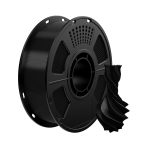 Geeetech PETG 1kg$8.50per kg
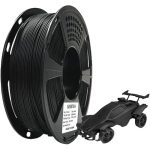 Geeetech PLA 1kg$8.80per kg
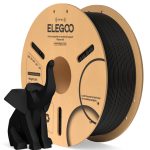 Elegoo PLA 1kg$9.00per kg
Filament dryers
Not tested by Nick.
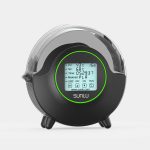 SUNLU FilaDryer S2$44.99
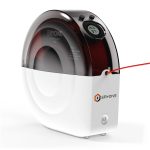 Eryone Snail Dryer Box M2$69.99
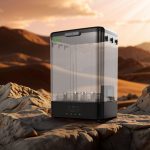 SUNLU FilaDryer SP2$69.99
CERTAIN CONTENT THAT APPEARS ON THIS SITE COMES FROM AMAZON. THIS CONTENT IS PROVIDED 'AS IS' AND IS SUBJECT TO CHANGE OR REMOVAL AT ANY TIME.
3D printer accessories: common questions
What 3D printer accessories should I buy first?
Nick’s top 3 are a cordless air blower (he uses the Wolfbox MF200), an electric screwdriver (the Fanttik E2 Ultra) and an extruder unclogger. Together they cover setup and fast maintenance. After that, a filament dryer, a storage rack and a support removal set.
Do I need glue or adhesive spray on my build plate?
Usually not. Nick names plate glue and sprays as a waste of money when the plate is clean and the first layer is dialed in. He wipes with IPA between prints and uses Dawn Powerwash when oil and residue build up.
What's the easiest way to remove supports?
Nick’s method is a wood chisel to get under the supports, flush cutters for delicate removal and a razor blade with a handle for brims and fine detail. Wear a glove with the chisel.
What lubricant should I use on a 3D printer?
Nick uses Super Lube synthetic oil on rods and linear rails, or Liberty Oil when Super Lube is out of stock. For Z screws he uses white lithium grease, after cleaning the threads with gear floss. Blow the machine out first.
Do I need a filament dryer for PLA?
If you print PLA regularly, Nick says moisture is worth watching. For most people he points to the SUNLU FilaDryer S4, which holds four spools, reaches 70°C and starts and stops drying on its own humidity reading.
What are the best Bambu Lab A1 upgrades?
Printed ones. Nick starts with the AMS lite top mount and Z axis stiffener, then the spool holder lock, a poop bucket, a cable conduit and a PTFE tube removal tool. The only part you buy is Bambu’s 1.99 dollar screws kit for the top mount.
Is an air purifier enough for ABS or ASA?
No. Nick only uses his Levoit for PLA in a small office. He runs ABS and ASA in the garage and says a purifier is not a substitute for proper ventilation.
Is there a printable list of these tools?
Yes. Nick’s free one page tool sheet has QR codes to everything in the tools video. Get it from the free tool sheet page and it arrives by email.
- Planet 3DP video: New 3D Printer? Don't Start Without These Tools, April 2026. Every tool, the skip list, the top 3 and the maintenance and air purifier notes (checked October 26, 2026)
- Planet 3DP video: Best A1 Mods and Upgrades, October 2024. Every A1 mod and the camera mount (checked October 26, 2026)
- Planet 3DP video: Take Your A1 3D Printer to the Next Level with These Upgrades. BIQU Panda Lux and Panda Edge V2 (checked October 26, 2026)
- Bambu Lab US store: AMS lite Top Mount Screws Kit for A1 and A2L, 1.99 dollars (checked October 26, 2026)
- Bambu Lab US store: Bambu Scraper 3 pcs, 3.99 dollars (checked October 26, 2026)
- Planet 3DP video on YouTube: the Bambu scraper blades moment at 1:41 (checked October 26, 2026)
- Planet 3DP video on YouTube: the needle tip oil bottles moment at 1:33 (checked October 26, 2026)
- MakerWorld: AMS lite top mount model, as linked in Nick's A1 mods video (checked October 26, 2026)

Host of Planet 3DP. I have been 3D printing for over four years, with tens of thousands of print hours across Bambu Lab, Anycubic, Creality, Elegoo and Snapmaker machines. Everything marked as mine on this page is on my own bench. Planet 3DP on YouTube.
Last checked October 26, 2026.