
Some links on this page are affiliate links. If you buy through one, Planet 3DP earns a small commission at no extra cost to you. It never changes what we recommend. How this works. As an Amazon Associate I earn from qualifying purchases.
Picking the best 3D printer is mostly a question of budget and what you want to print. Every machine below is one I have run on camera. Every price was read off the maker’s own store on October 14, 2026. Where a machine comes in two versions, I say which one the price is for. That gap can be 250 dollars.
- Our pick for most people
- Bambu Lab P2S, 549 dollars, or 749 as the Combo
- Best first printer
- Bambu Lab A1, 299 dollars, or 399 as the Combo
- Cheapest multicolour
- Anycubic Kobra X, 299 dollars
- Best big bed on a budget
- Bambu Lab A2L, 469 dollars, or 569 as the Combo
- Best that isn't a Bambu
- Snapmaker U1, 749 dollars
- What a Combo is
- The version that ships with the AMS multicolour unit. On a Bambu machine that is most of the price gap
- Prices
- List prices checked October 14, 2026 on each maker’s own store, and each one says which version it is for. They move, so check before you buy.
How these were picked
Two rules, and they’re the reason this list is short. A machine only appears here if I’ve run it myself, and every price comes from the maker’s own store with the date I checked it.
Spec sheets are not much help when you’re choosing. These are the four things that actually decide whether you enjoy owning a printer.
| What I judge | The question it answers |
|---|---|
| Out of the box | How long from opening the box to a first print? A painful setup is where most people quit. |
| Reliability | Does it just work, or do you fight it every time you hit print? |
| Total cost | The printer plus filament, tools and your first year of supplies. |
| Ecosystem | When something goes wrong, is there an app, a big community and videos to get you printing again? |
Bambu Lab P2S
Pick it if you want one printer that does nearly everything.
- Enclosed, so ABS and ASA are on the table
- The Combo adds the AMS for multi filament printing
- Prices on Bambu’s own store
549 dollars, or 749 as the Combo, list price checked October 14, 2026
Bambu Lab A1
Pick it if this is your first printer and you want the proven one.
- On the market since December 2023
- Print farms run hundreds of them around the clock
- The Combo adds the AMS Lite for four colours
299 dollars, or 399 as the Combo, list price checked October 14, 2026
Check price at Bambu LabAnycubic Kobra X
Pick it if you want the cheapest machine here that I would still recommend.
- Multicolour built into the toolhead
- About half the purge waste of a separate box system
- Expands to 19 colours with add on units
299 dollars, list price checked October 14, 2026
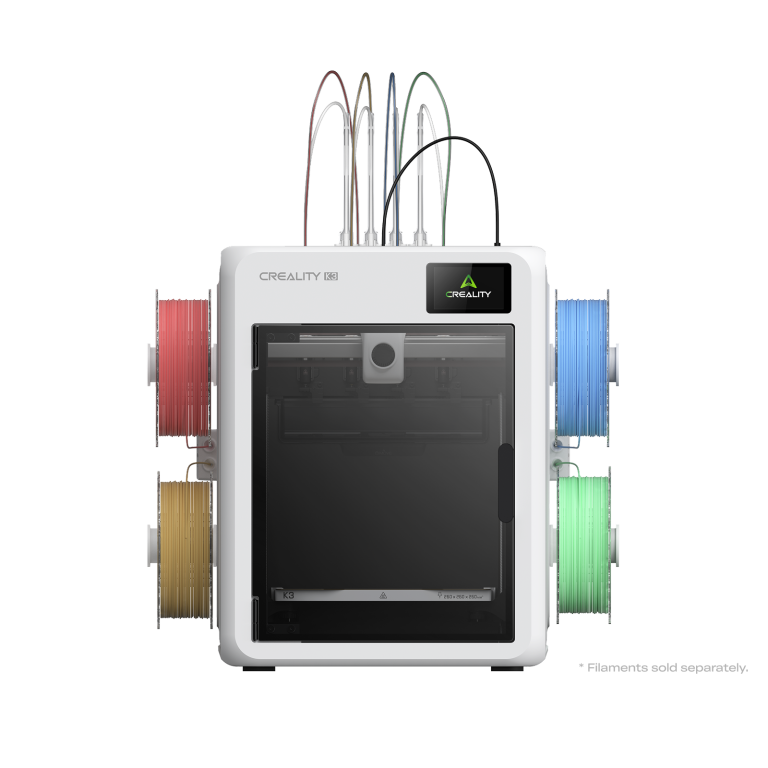
Check price at AnycubicCreality SparkX i7 Color Combo
Pick it if you want the fastest setup of anything on this list.
- About five minutes from box to printing
- Hardened steel nozzle from the factory
- AI camera that stops failed prints
349 dollars for the Color Combo at Creality, list price checked October 14, 2026
Check price on AmazonBambu Lab A2L
Pick it if you want a big bed without paying enclosed printer money.
- Large format, open frame
- Same beginner friendly setup as the A1
- Prices on Bambu’s own store
469 dollars, or 569 as the Combo, list price checked October 14, 2026
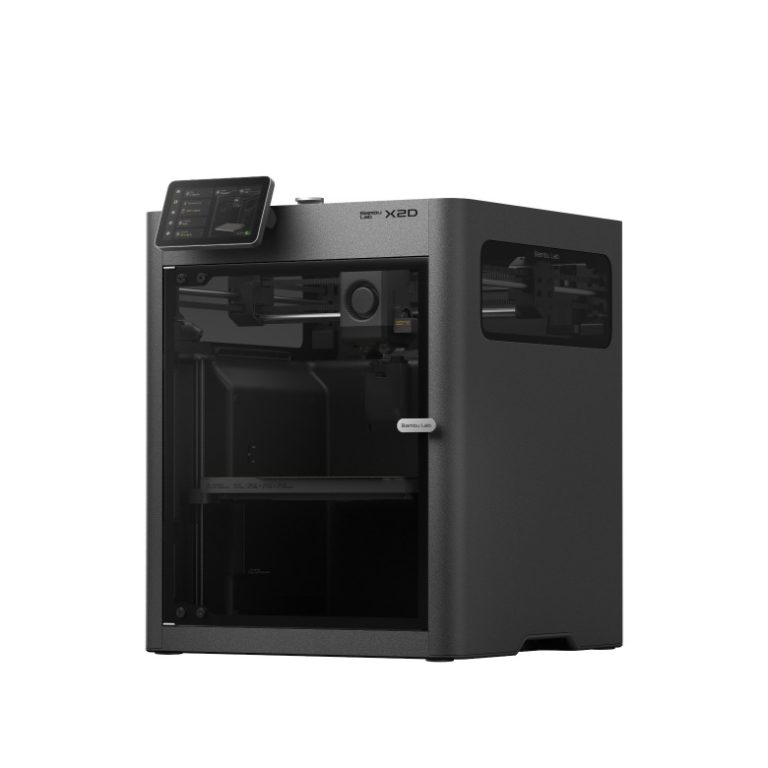
Bambu Lab X2D
Pick it if your prints need supports that peel off clean.
- Two nozzles, so supports print in a different material
- No purge every time the material changes
- Enclosed, so the engineering filaments work
649 dollars, or 899 as the AMS Combo, list price checked October 14, 2026
Snapmaker U1
Pick it if you want multicolour and you don’t want a Bambu.
- Toolchanger, so almost no purge waste
- Four tools on one machine
- Prices on Snapmaker’s own store
749 dollars, list price checked October 14, 2026
Bambu Lab H2C
Pick it if you are printing to sell and waste is costing you money.
- Multi material with almost no purge
- Big enclosed build area
- Prices on Bambu’s own store
2,199 dollars for the AMS Combo, list price checked October 14, 2026
Bambu Lab P2S: the best 3D printer for most people
If you asked me to pick one machine and stop talking, it’s this one. The P2S is enclosed, which is the single thing that opens up the materials an open printer can’t touch.
That matters more than it sounds. Bambu’s own material table says ABS, ASA, polycarbonate and nylon all need higher bed and chamber temperatures to stop warping, and it lists them as not recommended on an open frame printer. PLA and PETG have no such requirement. So an enclosure isn’t a luxury feature, it’s the line between two different sets of materials.
The P2S Combo also runs multi filament through the AMS. It’s the machine I’ve used alongside the X2D for long enough to trust it. The bare machine is 549 dollars and the Combo is 749. Get the Combo if you want more than one colour.
What I’d change: it’s a bigger, heavier box than an A1, and you’ll want it somewhere ventilated if you print ABS.
Bambu Lab A1: the best first 3D printer
The A1 launched in December 2023, so it’s been out for well over two and a half years. That’s the point. The bugs are worked out, the firmware is mature, and the community has found every quirk. There are print farms running hundreds of these all day.
I own several A1s and A1 Minis and I’ve put thousands of hours on them with very few issues. Setup takes about 25 minutes, then you scan the QR code on the screen and you’re printing ten minutes later. My daughter built hers in a little over 20 minutes while asking plenty of questions.
What I’d change: the AMS Lite sits out in the open, so loaded filament drinks moisture out of the air. It’s an open frame printer too, so ABS and ASA are off the table. Most beginners never print those anyway.
If you want the full three way test behind this pick, it’s in our best beginner 3D printer guide.
Anycubic Kobra X: the cheapest one worth buying
At 299 dollars on Anycubic’s own store it ties the bare A1 for the cheapest here. It also does something no other machine does at that price. Multicolour is built into the print head itself. Four spools feed straight in, with no separate box. On the A1 you would pay 399 for the Combo to get colour at all.
My first hour with it was rough. The Benchy file stored on the printer failed three times on three different filaments. Then I sliced a Benchy myself, sent it, and it printed perfectly first time. The problem was the files on the printer, not the printer.
If you buy one: skip the preloaded files on the machine. Slice your first print yourself and send it over.
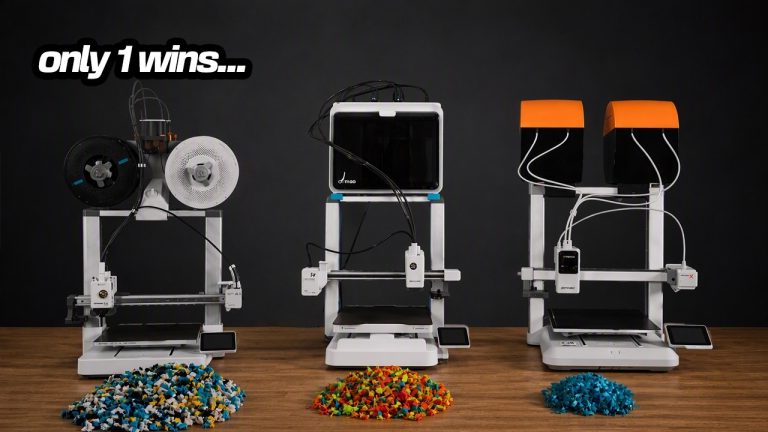
The waste number is the real argument for it. I printed the same multicolour dragon on three machines and weighed what went in the bin.
Print ten of those a month at roughly 1.5 cents a gram and the Kobra X wastes about 11.40 dollars while the A1 wastes about 34.50 dollars. Over a year that’s roughly 136 dollars against 414 dollars. Every print is different, so treat those as real examples rather than promises.
What I’d change: it’s new, and so is the toolhead system. It hasn’t had years of abuse like the A1 has.
Which Bambu Lab printer should I buy?
Four of the eight picks above are Bambu machines, which is a fair reflection of where the market is. If you’ve already decided on the brand, this is the short version.
| If you want | Buy | Machine alone | With the AMS (Combo) |
|---|---|---|---|
| The smallest and cheapest | A1 mini | 219 dollars | 329 dollars |
| Your first printer | A1 | 299 dollars | 399 dollars |
| A big bed, open frame | A2L | 469 dollars | 569 dollars |
| One printer that does most things | P2S | 549 dollars | 749 dollars |
| Clean supports on every print | X2D | 649 dollars | 899 dollars |
| A printer and a laser in one box | H2D | 1,749 dollars, now 1,549 | 1,999 dollars, now 1,749 |
| Multi material with almost no waste | H2C | Combo only | 2,199 dollars |
Two things fall out of that table. The AMS adds about 100 to 250 dollars, depending on the machine. So decide whether you want colour first. Then the jump from A1 to P2S is 250 dollars bare, or 350 as Combos. That buys an enclosure, and every material an open printer can’t run.
The best 3D printer that isn’t a Bambu
Plenty of people would rather not buy into one company’s ecosystem, and there are two machines here I’d happily hand them.
The Snapmaker U1 at 749 dollars is a toolchanger. Instead of pushing old filament out of one nozzle on every colour change, it swaps the whole tool, so the purge waste nearly disappears. If multicolour is the reason you’re buying, that’s the mechanism that fixes the thing everyone complains about.
The Creality SparkX i7 Color Combo at 349 dollars is the other one. Creality claims a five minute setup and I agree with them. It ships with a hardened steel nozzle, which almost nothing at this price does, so carbon fibre PLA and glow in the dark filament work out of the box.
What I’d change on the i7: the screen is small and a bit slow, and the SparkX community is still young, so answers take longer to find.
Side by side
| Price | Enclosed | Multicolour | Best for | |
|---|---|---|---|---|
| Anycubic Kobra X | 299 | No | In the toolhead | Cheapest multicolour |
| Bambu Lab A1 | 299, or 399 as the Combo | No | AMS Lite on the Combo | First printer |
| Creality SparkX i7 | 349 for the Color Combo | CFS, enclosed | CFS | Fastest setup |
| Bambu Lab A2L | 469, or 569 as the Combo | No | AMS Lite on the Combo | Big bed on a budget |
| Bambu Lab P2S | 549, or 749 as the Combo | Yes | AMS on the Combo | Most people |
| Bambu Lab X2D | 649, or 899 as the AMS Combo | Yes | Two nozzles | Clean supports |
| Snapmaker U1 | 749 | Yes | Toolchanger | Not a Bambu |
| Bambu Lab H2C | 2,199, Combo only | Yes | Almost no purge | Printing to sell |
What else you need to buy
The printer isn’t the whole bill, and the extras catch people out. Plan on 60 to 100 dollars of PLA to start with, more if there’s a sale on. Add flush cut snips and a wooden chisel set for taking supports off, around 20 dollars if you don’t own them already.
If you’re buying an enclosed machine for ABS or ASA, think about where it goes before it arrives. Bambu’s own table wants a 90 to 100 C bed for ABS, and a hot bed in a small room is a smell you’ll notice.
Free beginner packA shopping list, a 30 day plan, a filament cheat sheet and a one page failure guide.
Get the free PDFCommon questions
What is the best 3D printer in 2026?
For most people the Bambu Lab P2S. That is 549 dollars for the machine, or 749 as the Combo with the AMS. It is enclosed and runs nearly every material. If it is your first printer, the Bambu Lab A1 at 299 dollars, or 399 as the Combo. For the cheapest machine worth owning, the Anycubic Kobra X at 299 dollars. All prices checked 14 October 2026.
Do I need an enclosed 3D printer?
Only for certain materials. Bambu’s own material table says ABS, ASA, polycarbonate and nylon need higher bed and chamber temperatures to stop warping, and lists them as not recommended on an open frame printer. PLA and PETG have no mandatory temperature requirement, so an open machine is fine if that is all you print.
Which 3D printer wastes the least filament?
Of the machines here, the ones that change material without purging. On one multicolour dragon print I measured 76 g of waste on the Anycubic Kobra X, 128 g on the Creality SparkX i7 and 230 g on the Bambu Lab A1. The Snapmaker U1 swaps tools instead of purging, and the Bambu H2C and X2D also avoid most of it.
What is the best large 3D printer for the money?
The Bambu Lab A2L. That is 469 dollars for the machine, or 569 as the Combo with the AMS, on Bambu’s own store on 14 October 2026. You get a large format bed with the same setup as the A1. You are not paying for an enclosure you may not need.
What is the best 3D printer that isn't a Bambu Lab?
The Snapmaker U1 at 749 dollars if you want multicolour, because its toolchanger avoids almost all the purge waste. The Creality SparkX i7 Color Combo at 349 dollars if you want to spend less, and it ships with a hardened steel nozzle.
How much should a beginner spend on a 3D printer?
Between 299 and 399 dollars buys a machine worth owning. Budget another 80 to 120 dollars for filament and basic tools. The 100 dollar step from an A1 to an A1 Combo is the one upgrade worth taking early, because it is what gives you more than one colour. Beyond that you are paying for an enclosure. You do not need one to learn on.
Watch Planet 3DP on YouTubeNew printers, slicer updates and hands on tests every week.
Subscribe- Bambu Lab US store product pages: list prices for the A1, A1 mini, A2L, P2S, X2D, H2D and H2C (checked October 14, 2026)
- Creality store: SPARKX i7 Color Combo list price (checked October 14, 2026)
- Anycubic store: Kobra X list price (checked October 14, 2026)
- Snapmaker US store: Snapmaker U1 list price (checked October 14, 2026)
- Bambu Lab filament guide material table: which materials need an enclosed printer (checked October 14, 2026)
- Planet 3DP video: I Ran All 3 Of The Best Beginner 3D Printers, 22 August 2026. Setup times and the measured purge waste (checked October 14, 2026)
Host of Planet 3DP. I have been 3D printing for over four years, with tens of thousands of print hours on Bambu Lab, Anycubic, Creality, Elegoo and Snapmaker machines. Every machine on this page is one I have run myself. Planet 3DP on YouTube.
Last checked October 14, 2026.