

Updated October 27, 2026. Bambu Lab’s Black Friday sale runs from October 27 to December 1, 2026. Its sale page, checked October 26, lists the P2S Combo at 649 dollars. The other prices on this page are the prices we checked in October.
Some links on this page are affiliate links. If you buy through one, Planet 3DP earns a small commission at no extra cost to you. It never changes what we recommend. How this works.
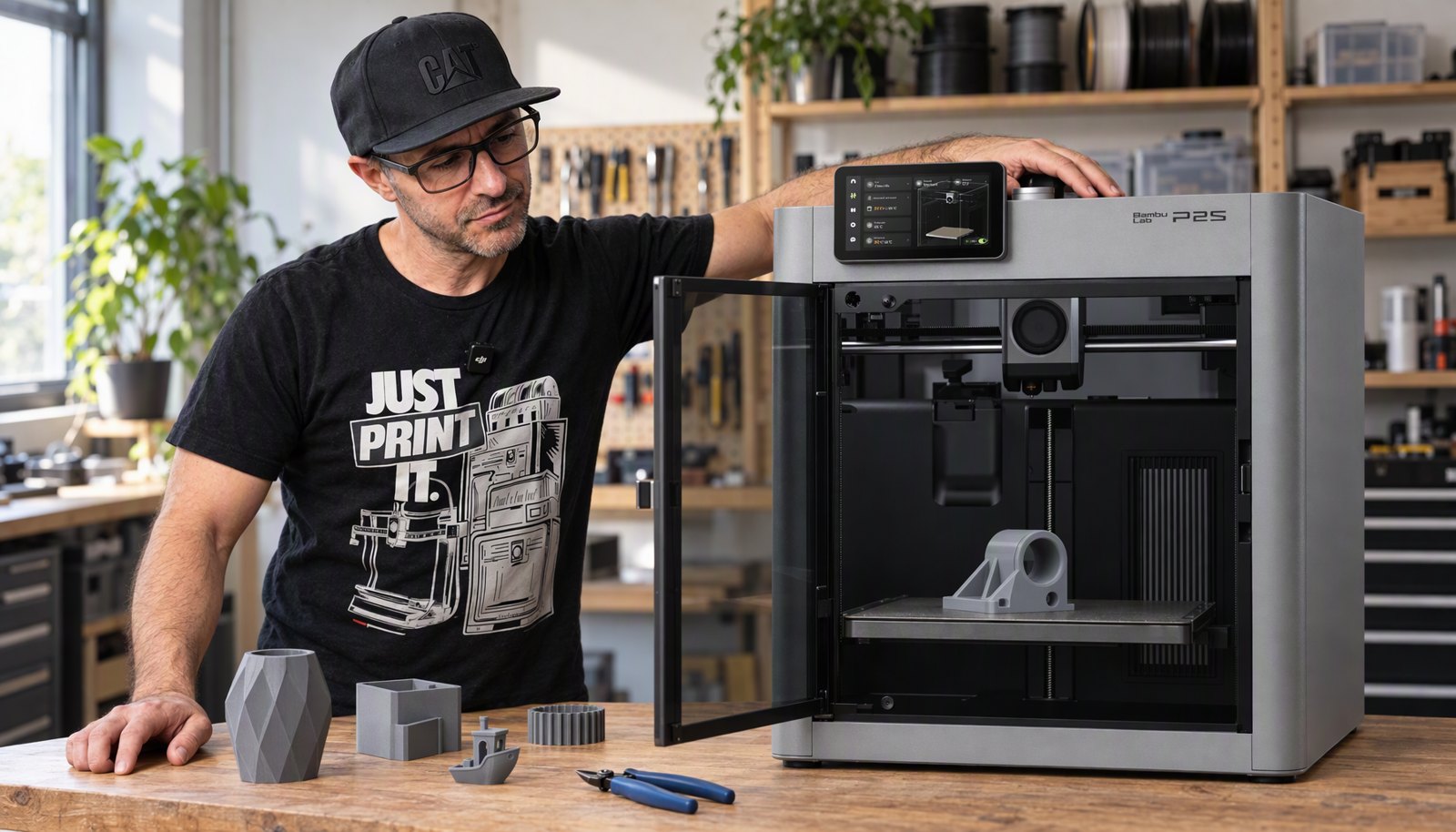
The Bambu Lab P2S is 549 dollars and it is the machine that replaced the P1S, which is one of the most trusted printers of the last few years. Nick runs two P1S machines in his own print farm with well over 10,000 hours on them. This page covers what the P2S changes, what owners are reporting on Bambu’s own forum, and the one real limit the machine has.
- The verdict
- A straightforward yes if you want one enclosed printer that handles almost everything. The P2S is a better P1S, and the P1S earned its reputation.
- Price
- 549 dollars, or 749 as the Combo with the AMS 2 Pro.
- Build volume
- 256 by 256 by 256 mm, fully enclosed.
- Best for
- ABS and ASA, abrasive filament, and anyone who wants a printer that just runs.
- The known issue
- An extruder overload error that owners report on Bambu’s own forum. No confirmed cause.
- The real limit
- One nozzle, so support interface material costs you purge waste.
Price and specification read off Bambu Lab’s own store on October 15, 2026. The version matters: a Combo ships with the AMS multicolour unit.
What the P2S changes from the P1S
This is an iteration rather than a new machine, and that’s the point of it. In Nick’s words it is a direct upgrade to the P1S. That means a better extruder, better thermals, a new touchscreen and the AMS 2 Pro with active filament drying. Everything the P1S did, a little better.
| What you get | Why it matters |
|---|---|
| PMSM servo extruder | Handles high flow and abrasive filament. Carbon fibre and glass fibre are in scope |
| Quick swap hotend | A 30 second nozzle change instead of a job you put off |
| AMS 2 Pro with active drying | Filament is dried while it sits loaded, which is where most mystery print faults start |
| AI error detection on a 2 TOPS NPU | Catches spaghetti, nozzle clumping and a jammed purge chute before a roll is wasted |
| Fully enclosed with three stage filtration | ABS and ASA print without warping, and the fumes are filtered |
What it’s like to live with
The strongest thing anyone can say about this machine is about its predecessor. Nick has two P1S printers running in a print farm and describes them as running without complaint for well over 10,000 hours. Print farms are the reliability test nobody can fake, because a machine that needs attention does not survive one.
He’s not replacing them for the P2S, and he says so. That’s worth repeating, because a reviewer telling you the old model is still fine is more useful than one telling you to upgrade.
On print quality against its own stablemate, he could not reliably tell PETG parts from the P2S and the dual nozzle X2D apart without the labels. The model surface is the same. Where the two machines differ is what happens underneath a support.
The known issue, and what is actually established
There’s one complaint that comes up repeatedly, and it’s worth taking seriously rather than skipping. On Bambu Lab’s own support forum there’s a long and still active thread about an error that reads extruder motor is overloaded.
What owners report there is worth reading plainly. The error recurs rather than happening once. One owner saw it within a few prints. Another sees it every couple of days, and says taking the extruder apart clears it with nothing visibly wrong inside. Bambu support has shipped at least one replacement extruder servo motor. A firmware release note mentions enabling extruder motor overload detection.
What is not established is why. Owners have proposed the PTFE tube sitting at too sharp an angle, washers on the tension screw, nozzle clogs, over aggressive flow settings, damp filament and a faulty servo. Those are owner theories. Bambu Lab has not published a root cause, and owners disagree with each other about whether the washer fix helps or causes under extrusion.
The counterweight matters too. Plenty of owners in the same forum report hundreds of hours with few problems. A busy thread tells you a fault exists and that people are talking about it. It does not tell you how many machines are affected, and anyone who gives you that percentage is guessing.
If you hit it: Open a ticket with Bambu rather than working through forum fixes first. At least one owner was sent a replacement extruder servo motor, which suggests they treat some of these as hardware.
The one real limit: a single nozzle
This isn’t a fault, it’s a design choice, and it’s the thing most likely to annoy you.
With one nozzle, every filament change is a full purge. That’s fine for a single colour print. It gets expensive the moment you want PLA support interfaces. That is the trick that lets supports peel off a PETG model cleanly, and the machine switches material constantly to do it on anything with tree supports.
Nick measured it on one Dilophosaurus jaw, printed in PETG with PLA support interfaces.
| Measured on one jaw print | Figure | What it means |
|---|---|---|
| Print time | 7 hours 25 minutes | Three hours longer than a dual nozzle machine. |
| Total filament | 148.55 g | What left the spool. |
| Purge waste | 59.69 g | Roughly 40 percent of it, binned. |
If you print functional parts, toys, or anything where the support contact surface doesn’t need to be perfect, none of that costs you anything. If you print creatures and skulls, it’s the reason the dual nozzle machine exists.
Who should buy it
Buy the P2S if you want one enclosed printer to cover nearly everything, and especially if you print abrasive filament. The extruder is built for carbon fibre and glass fibre. The enclosure gives you ABS and ASA. And the P1S lineage behind it is about as proven as this market gets.
Think harder if your printing is organic shapes with heavy supports, because a single nozzle machine will spend your filament on purge. And if you already own a P1S that’s working, Nick’s own position is the honest answer: he isn’t replacing his.
Comparing it against the X2D? Nick put both machines on a one page chart, free, with the measured numbers from the same print on each.
Get the free PDFCommon questions
Is the Bambu Lab P2S worth buying?
Yes, if you want one enclosed printer that handles most materials. It’s 549 dollars on Bambu’s own store, it prints ABS and ASA, and its extruder is built for abrasive filament. The main reason to look elsewhere is if your prints need support interface material, because one nozzle means purge waste on every material change.
What is the P2S extruder overload problem?
An error reading extruder motor is overloaded, reported by owners in a long active thread on Bambu Lab’s own forum. Some see it within a few prints and some every couple of days. Bambu has shipped at least one replacement extruder servo motor and a firmware note mentions overload detection, but no root cause has been published. Owner theories include the PTFE tube angle and flow settings, and owners disagree about the fixes.
How much does the Bambu Lab P2S cost?
549 dollars for the printer on its own and 749 dollars as the Combo, which adds the AMS 2 Pro multicolour unit with active filament drying. Both read off Bambu Lab’s own US store on October 15, 2026.
What is the difference between the P1S and the P2S?
The P2S is an iteration, not a new platform. It adds a better servo extruder, improved thermals, a new touchscreen and AMS 2 Pro support with active filament drying. If you own a working P1S, there’s no urgent reason to replace it, which is Nick’s own position on the two P1S machines in his print farm.
Can the P2S print ABS and ASA?
Yes. It’s fully enclosed with three stage air filtration, which is what those materials need to stop them warping. That enclosure is the main thing separating it from the cheap open frame machines in our cheapest printers guide and none of them can hold either material.
Does the P2S print in multiple colours?
With the AMS, yes, and the Combo version at 749 dollars includes it. Be aware of the cost: one nozzle means a full purge at every colour change. On one measured jaw print with PLA support interfaces the purge came to 59.69 g out of 148.55 g used.
- Bambu Lab US store: P2S price at 549 dollars base and 749 as the Combo, plus the full specification (checked October 15, 2026)
- Bambu Lab community forum: the P2S extruder overload thread, owner reports and the replacement servo motor (checked October 15, 2026)
- Bambu Lab community forum: a second owner thread on early P2S hardware faults (checked October 15, 2026)
- Planet 3DP video: X2D vs P2S, I Tested Both and the Numbers Don't Lie, 17 April 2026. The measured print time, filament use and purge waste, and Nick's verdict (checked October 15, 2026)

Host of Planet 3DP. I run a print farm of Bambu Lab machines, including two P1S printers with well over 10,000 hours on them, and I have filmed the P2S against its own stablemate on the same print. Planet 3DP on YouTube.
Last checked October 15, 2026.