

Bambu Lab released Bambu Studio 2.9.2 on November 24, 2026, the day its P3C tool changer went on sale. It’s a full public release, not a beta. The two headline additions are support for the Bambu Lab P3C and mixed nozzle sizes on the H2D, where each nozzle prints at its own layer height.
- Software
- Bambu Studio, Bambu Lab’s own slicer.
- Version
- 2.9.2, build 02.09.02.62, a public release.
- Released
- November 24, 2026, on Bambu Lab’s GitHub releases page.
- Replaces
- 2.9.1, released November 3, 2026.
- New printer
- The P3C tool changer.
- Price
- Free download.
- Systems
- Windows, macOS and Linux, plus a Flathub version for Linux.
From Bambu Lab’s 2.9.2 release notes and release list on GitHub, read November 24, 2026.
P3C support
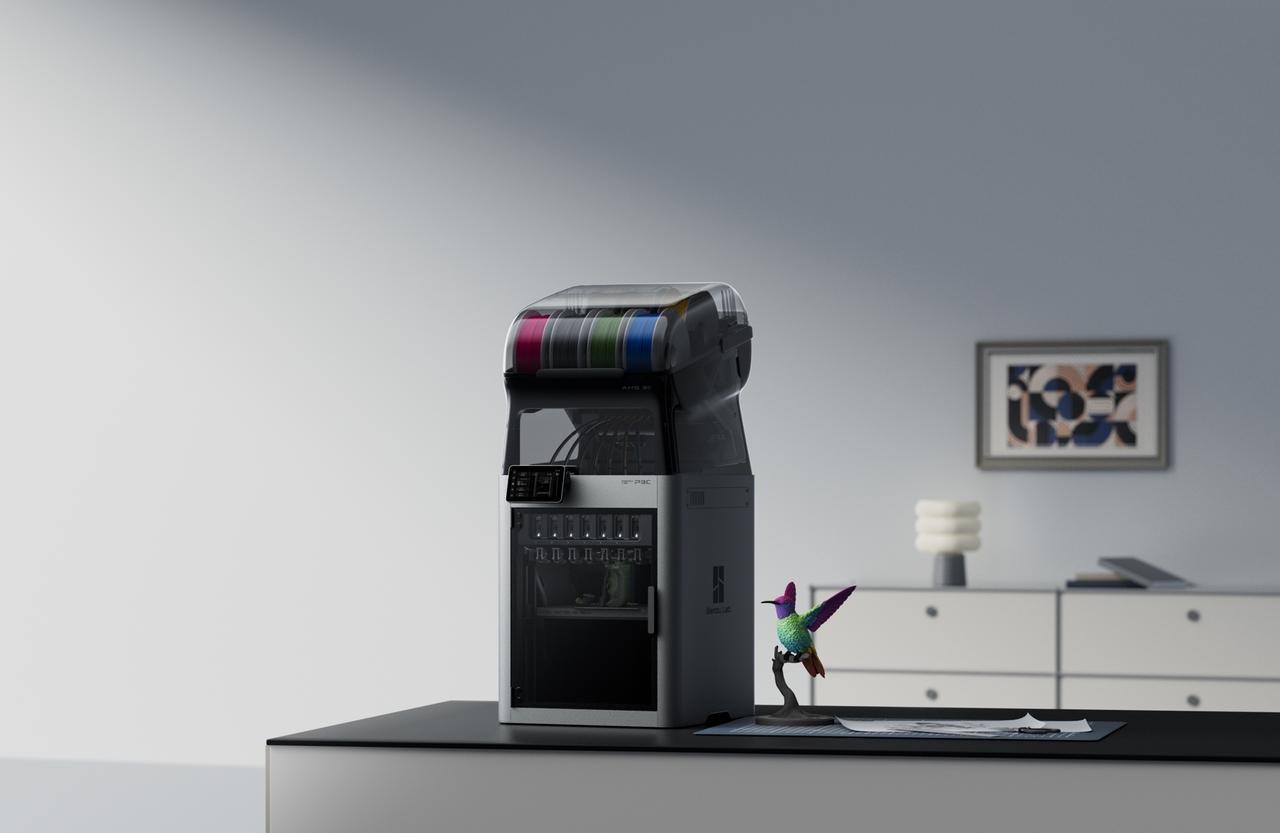
Bambu Studio can now slice for the P3C. Bambu’s notes describe a printer that carries up to seven print heads at once, each with its own feeding and heating, so filament stays loaded and the next head can warm up early. Bambu says a switch between two filaments takes as little as 6 seconds.
One setting change covers the P3C and the H3C together. In single diameter mode with a 0.2 mm nozzle, the first layer infill line is now 0.6 mm wide, which Bambu says improves first layer adhesion and quality.
Nick has tested the P3C on his own bench, and his P3C review covers how it prints. Our P3C listing has Bambu’s specs and bundle prices.
Mixed nozzle sizes on the H2D
The bigger change for existing owners is on the H2D. You can now give different parts of one model to nozzles of different sizes, and each size gets its own layer height. A small nozzle can print text or scales while a larger one prints the main body quickly. It also works with the H2D’s Filament Track Switch.
Bambu says the assignment isn’t limited to walls and infill. You pick the region of the model and the nozzle for it. For supports in this mode, Top Z distance and Bottom Z distance can now be edited.
H2C and X2D owners will have to wait. The notes say support for other models is in progress and will arrive no later than the date in Bambu’s own announcement. Mixed diameter printing is still being refined, and two of the known issues below apply to it.
What changes when you slice
Most of the release is smaller changes to everyday slicing. These are the ones you’ll notice.
| Area | What changed in 2.9.2 |
|---|---|
| Infill | Sparse infill density takes decimal values |
| Painted models | A new option lets color painted on top and bottom surfaces carry into the part next to it |
| Seams | On multicolor models, seams start deeper inside a color region, away from exposed surfaces |
| Supports | Faster normal and classic tree support generation on complex models |
| Preview | Shows the nozzle and filament for each move, and the print time of each filament |
| Objects | Selected parts can be split into new objects |
| Simplify | Each method keeps its own level, and keeping all painting is now the default |
| Flushing | The manual flush volume limit rises to 2000 mm³, within what the printer firmware allows |
| Infill warning | A warning for 3D Honeycomb, Honeycomb or Gyroid infill at high acceleration, which Bambu says causes noticeable vibration and noise |
Sending prints and the Device page
When sending through the cloud fails, Bambu Studio now falls back to a direct LAN connection on its own. On the Device page, the AMS filament picker shows each spool’s note and marks the filament in use and where it sits. AMS filament settings also show the color name and its hex value.
The bug fix list has 31 entries. The ones printer owners are most likely to have hit: a nozzle temperature that reset after the first layer and overrode manual changes, nozzle selection not taking effect on the H2C, the H2C’s left and right nozzles shown the wrong way round, HMS messages not showing, and a prime tower that couldn’t move to the edge of the plate.
Bambu lists four known issues with this release. Read them before you print a mixed nozzle job or dry filament on a P3C.
| Known issue | Affects | What Bambu says |
|---|---|---|
| Support and wipe tower estimates can differ from the real print | Mixed nozzle diameter jobs | Only in some combinations, while the feature is refined |
| Helio support isn’t finished | H2D mixed diameter jobs | The Helio team will add it as soon as possible |
| No software check for the dryer’s power adapter | P3C with the optional drying module | Starting a dry without the adapter connected may do nothing |
| Auxiliary fan shown at 100 percent | X2D slicing ABS | Preview only, the print isn’t affected, fixed in a later preset update |
Who should update
If you have a P3C, this is the release that adds it to Bambu Studio. H2D owners get mixed nozzle printing. Everyone else gets the slicing changes and the fixes above, including the two H2C nozzle fixes.
You can download 2.9.2 for Windows, macOS or Linux from Bambu Lab’s GitHub releases page. For what changed across the last year, Nick’s Bambu Studio updates guide picks out the updates that matter. Weighing up another slicer? See OrcaSlicer vs Bambu Studio.
Watch Planet 3DP on YouTubeSlicer and firmware releases, explained for the people who print with them.
Subscribe- Bambu Lab on GitHub: Bambu Studio 2.9.2 Public Release notes (checked November 24, 2026)
- Bambu Lab on GitHub: Bambu Studio releases, with 2.9.1 dated November 3, 2026 (checked November 24, 2026)
- Bambu Lab blog: the P3C launch post of November 24, 2026 (checked November 24, 2026)

Host of Planet 3DP. 3D printing for over four years, with tens of thousands of print hours on Bambu Lab, Anycubic, Creality, Elegoo and Snapmaker machines. Planet 3DP on YouTube.
Last checked November 24, 2026.