

Some links on this page are affiliate links. If you buy through one, Planet 3DP earns a small commission at no extra cost to you. It never changes what we recommend. How this works.
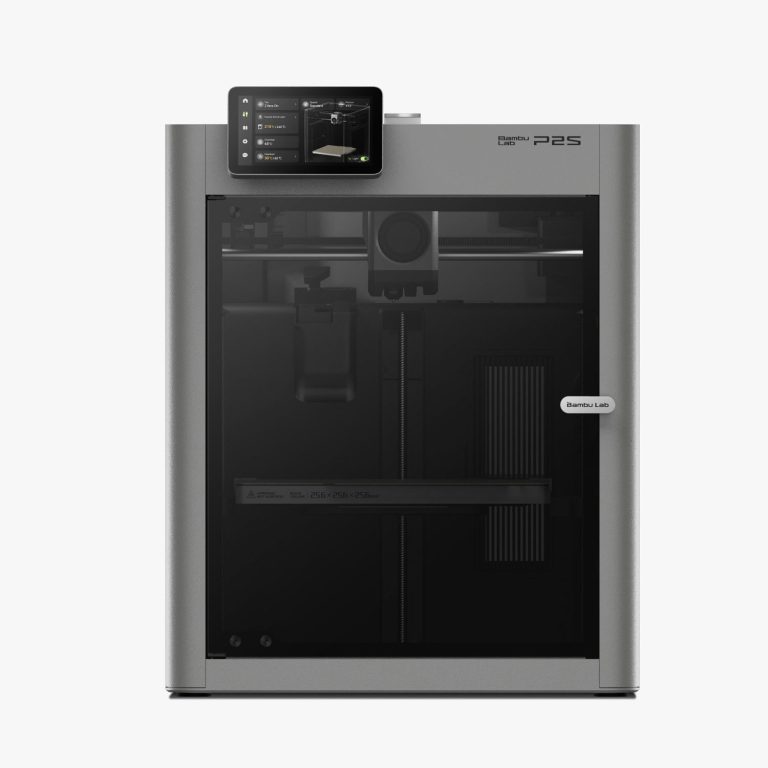
The Bambu Lab P2S is the better printer. It has a stronger extruder, a hardened steel nozzle, a hotter bed and a much sharper camera than the P1S. The P1S is 150 dollars cheaper at 399, and Bambu hasn’t discontinued it. If you already own a P1S, keep it. If you’re buying new, the extra money buys real upgrades, and here is what they are.
Nick runs two P1S printers in his print farm and has a P2S too. He hasn’t run the same print on both, so this comparison uses Bambu Lab’s own specs and today’s prices, plus what he has said about each machine on camera.
- Verdict
- Choose the P2S if you’re buying new and want the hardened nozzle, stronger extruder and better camera. Choose the P1S if 399 dollars is the budget, or keep yours if you own one.
- P1S price
- 399 dollars, 549 with the AMS, 579 with the AMS 2 Pro.
- P2S price
- 549 dollars, 749 as the Combo with the AMS 2 Pro.
- Black Friday
- P2S Combo 649 dollars, P1S AMS 2 Pro Combo 509 dollars, October 27 to December 1.
- Same on both
- 256 x 256 x 256 mm, enclosed, 300°C hot end.
- Nick owns
- Two P1S printers past 10,000 hours, and a P2S.
Specs from Bambu Lab’s P2S spec page and P1S store page, prices from the Planet 3DP price tracker and Bambu’s store, sale prices from Bambu’s Black Friday page. All checked October 27, 2026.
Bambu Lab P2S vs P1S: the specs
| Spec | Bambu Lab P2S | Bambu Lab P1S |
|---|---|---|
| Build volume | 256 x 256 x 256 mm | 256 x 256 x 256 mm |
| Nozzle | Hardened steel, 0.4 mm | Stainless steel, 0.4 mm |
| Max hot end temperature | 300°C | 300°C |
| Max bed temperature | 110°C | 100°C |
| Max toolhead speed | 600 mm/s | 500 mm/s |
| Max acceleration | 20,000 mm/s² | 20,000 mm/s² |
| Extruder | PMSM servo, up to 8.5 kg force | Not stated on the store page |
| Camera | 1080p, 30 fps | 1280 x 720, 0.5 fps |
| Screen | 5 inch touchscreen | Not compared here |
| AI error detection | Yes, 2 TOPS NPU | Not listed |
| Air filter | Activated carbon | Activated carbon |
| Combo AMS | AMS 2 Pro (drying) | AMS, or AMS 2 Pro in the dearer Combo |
About that 1,000 mm/s. In his X2D vs P2S video Nick lists 1,000 mm/s for both machines (8:10). Bambu’s P2S spec page says 600 mm/s for the toolhead, so this page uses 600. The 1,000 figure matches something else: the Bambu Studio 2.8.3 beta raised the P2S travel speed, when the nozzle moves without printing, to 1,000 mm/s.
What the P2S actually changes
The extruder. Bambu says the P2S servo extruder pushes up to 8.5 kg, 70 percent more than its predecessor. Nick calls it excellent for high flow and abrasive filaments, and built for carbon fibre and glass fibre. That’s at 11:29 in his X2D vs P2S video.
The nozzle. The P2S ships with a hardened steel nozzle and swaps it with one clip. The P1S ships with stainless steel, which wears out on abrasive filament. Bambu lists carbon and glass fibre blends among the P2S filaments.
Heat. The P2S bed goes to 110°C against the P1S’s 100°C. Bambu’s launch post says its flap controlled airflow keeps heat in the chamber while a carbon filter cleans the air. Nick notes the P2S warms its chamber passively, from the bed and hot end. Bambu doesn’t give a chamber temperature for either machine, so we won’t.
Seeing the print. The P2S camera streams 1080p at 30 frames a second and its AI watches for spaghetti, nozzle blobs and air printing. The P1S camera is 720p at half a frame per second, good for timelapses and not much else.
The small things. In his P2S maintenance video Nick likes the new lip that lets you sweep fragments out of the base, one of the nice upgrades over the P1 in his words (4:01), and calls the wiper pad a great upgrade over the P1S one (8:58).
Price: compare the same bundle
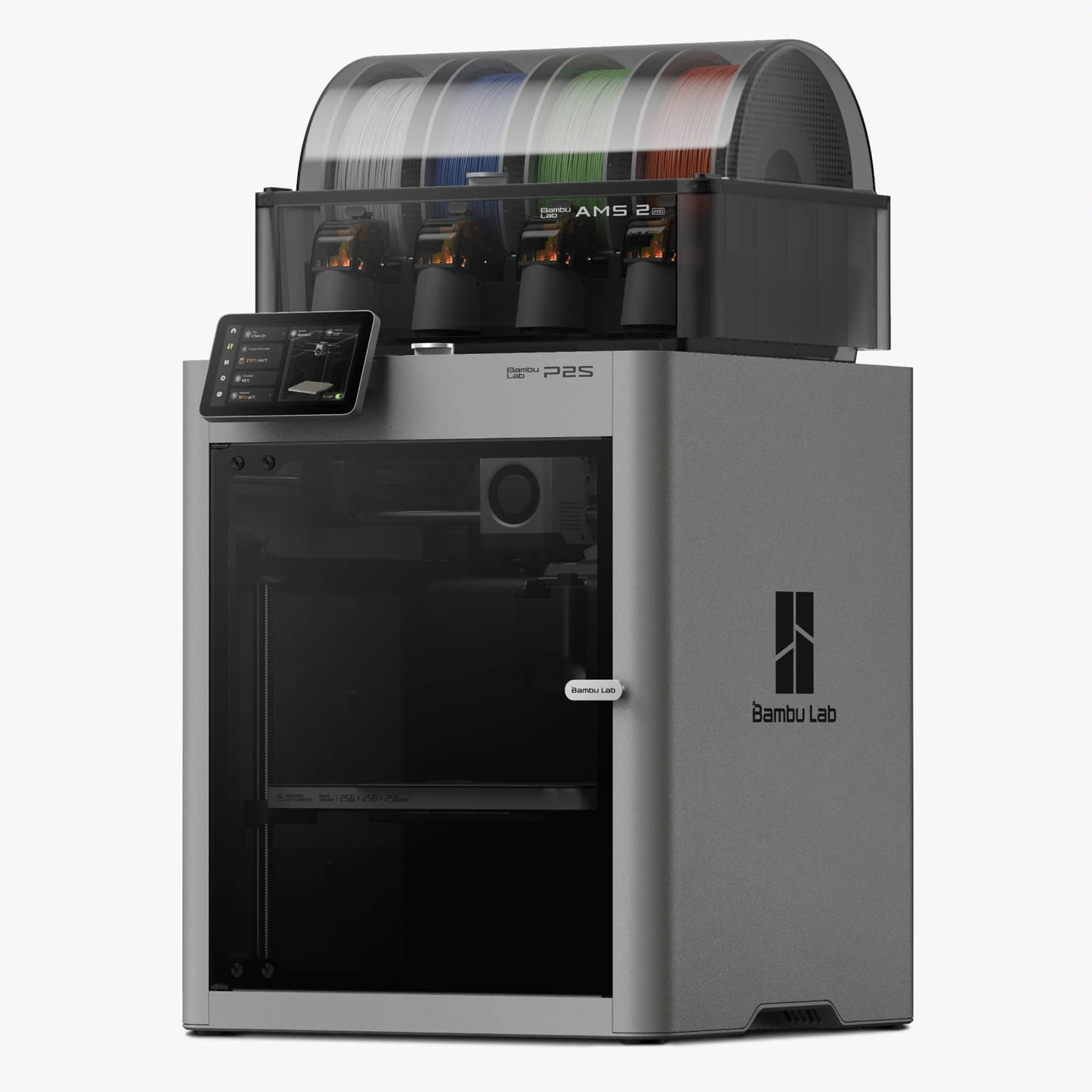
Bambu sells the P1S in three versions, so line up like with like. The fair Combo comparison is the P1S AMS 2 Pro Combo against the P2S Combo, because both come with the AMS 2 Pro and its active drying.
| Version | AMS included | Bambu store today | Black Friday price |
|---|---|---|---|
| P1S | None | 399 dollars | Not listed on the sale page |
| P1S AMS Combo | AMS | 549 dollars | Not listed on the sale page |
| P1S AMS 2 Pro Combo | AMS 2 Pro | 579 dollars | 509 dollars |
| P2S | None | 549 dollars | Not listed on the sale page |
| P2S Combo | AMS 2 Pro | 749 dollars | 649 dollars |
So the P2S costs 150 dollars more as a bare printer and 170 dollars more as an AMS 2 Pro Combo. In the sale that Combo gap is 140 dollars. Nick quoted 799 dollars for the P2S Combo in April 2026, and it’s 749 today.
Is the P1S still worth buying?
Yes, if the budget is fixed at 399 dollars and you mostly print PLA and PETG. It’s still on sale, Bambu says the P2S does not discontinue it, and Nick’s two have run well over 10,000 hours without complaint. That’s at 11:45.
Think twice if you plan to print carbon fibre or glass fibre filament. You’d want a hardened nozzle anyway, and the P2S ships with one.
If you already own a P1S, Nick’s own answer applies: he isn’t replacing his anytime soon. Keep it, and keep it running with his P1S maintenance routine.
Which should you buy?
Choose the P2S if you’re buying new, you want abrasive filaments, or you’ll watch prints remotely. Nick calls it genuinely a great machine (11:11). Our P2S review has his full verdict and the known issues.
Choose the P1S if 399 dollars is the limit and PLA and PETG are most of what you print. And if supports eat your time, look at the dual nozzle X2D in our P2S vs X2D comparison.
P2S vs P1S questions
What is the difference between the P2S and the P1S?
The P2S adds a stronger servo extruder, a hardened steel nozzle, a 110°C bed, a 1080p camera with AI error detection and a 600 mm/s top speed. Build volume and hot end temperature are the same as the P1S.
Is the P1S still worth buying?
At 399 dollars for PLA and PETG printing, yes. Bambu says the P1S is not discontinued, and Nick’s two P1S printers have run well over 10,000 hours without complaint.
How much more is the P2S than the P1S?
150 dollars as a bare printer (549 against 399) and 170 dollars as an AMS 2 Pro Combo (749 against 579), checked October 27, 2026. In Bambu’s Black Friday sale the Combo gap is 140 dollars.
Is the P2S faster than the P1S?
On paper. Bambu lists 600 mm/s for the P2S toolhead and 500 mm/s for the P1S, with the same 20,000 mm/s² acceleration. Nick hasn’t timed the same print on both.
Can the P1S print carbon fibre filament?
It ships with a stainless steel nozzle, which abrasive filament wears down. The P2S ships with a hardened steel nozzle and Bambu lists carbon and glass fibre blends for it.
Should I upgrade my P1S to a P2S?
Nick isn’t. He runs two P1S printers in his farm and says he isn’t replacing them anytime soon.
- Bambu Lab: P2S technical specifications (checked October 27, 2026)
- Bambu Lab blog: Meet the P2S (October 14, 2025) (checked October 27, 2026)
- Bambu Lab US store: P1S prices and P1P vs P1S comparison table (checked October 27, 2026)
- Bambu Lab US store: P2S price (checked October 27, 2026)
- Bambu Lab US store: Black Friday sale page (checked October 27, 2026)
- Bambu Lab on GitHub: Bambu Studio 2.8.3 beta notes, P2S travel speed (checked October 27, 2026)
- Planet 3DP video: X2D vs P2S, I Tested Both (April 2026) (checked October 27, 2026)
- Planet 3DP video: Bambu P2S Maintenance (January 2026) (checked October 27, 2026)
- Planet 3DP video: P1S maintenance routine (checked October 27, 2026)

Host of Planet 3DP. I run two P1S printers in my print farm, well past 10,000 hours, and a P2S. Planet 3DP on YouTube.
Last checked October 27, 2026.