

Some links on this page are affiliate links. If you buy through one, Planet 3DP earns a small commission at no extra cost to you. It never changes what we recommend. How this works.
The best multicolor 3D printer is the one that throws away the least filament for the colors you actually print. Nick has measured that waste on seven machines he has tested. The Bambu Lab H2C purges nothing. The Snapmaker U1 purges nothing between its four colors. Of the budget machines, the Anycubic Kobra X wasted 76 g on a dragon print where the Bambu Lab A1 wasted 230 g.
Every number below comes from a video where Nick ran the print himself, and each one links to the moment. The prices are today’s store prices, and Bambu Lab’s Black Friday prices start on October 27. If you’re comparing other machines too, the side by side compare tool covers the whole directory, and our best 3D printers guide covers single color picks.
- Least waste, most colors
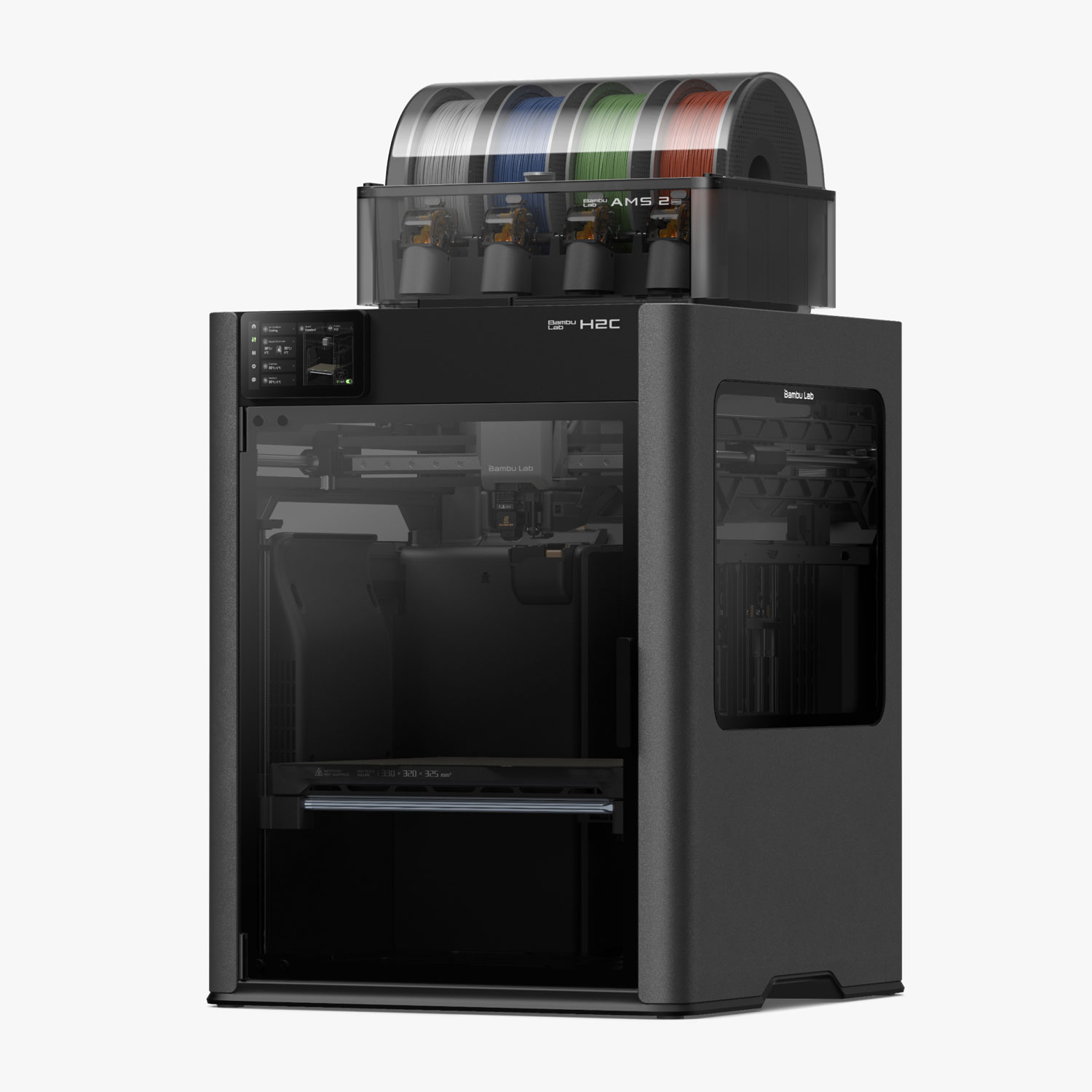
- Bambu Lab H2C, 2,199 dollars as the AMS Combo, 1,899 in Bambu’s Black Friday sale from October 27. Saved Nick 1,584 g of filament on three prints.
- No purge for four colors
- Snapmaker U1, 749 dollars. Four tool heads, about 5 second color changes.
- Best under 300 dollars
- Anycubic Kobra X, 279 dollars. 76 g of waste on Nick’s dragon test, the lowest of the three budget machines.
- Enclosed spools on a budget
- Creality SparkX i7 Color Combo with the CFS Lite, 349 dollars. 128 g on the same dragon.
- Most proven
- Bambu Lab A1 Combo, 399 dollars, 359 from October 27. 230 g on the same dragon.
- Two materials, no purge
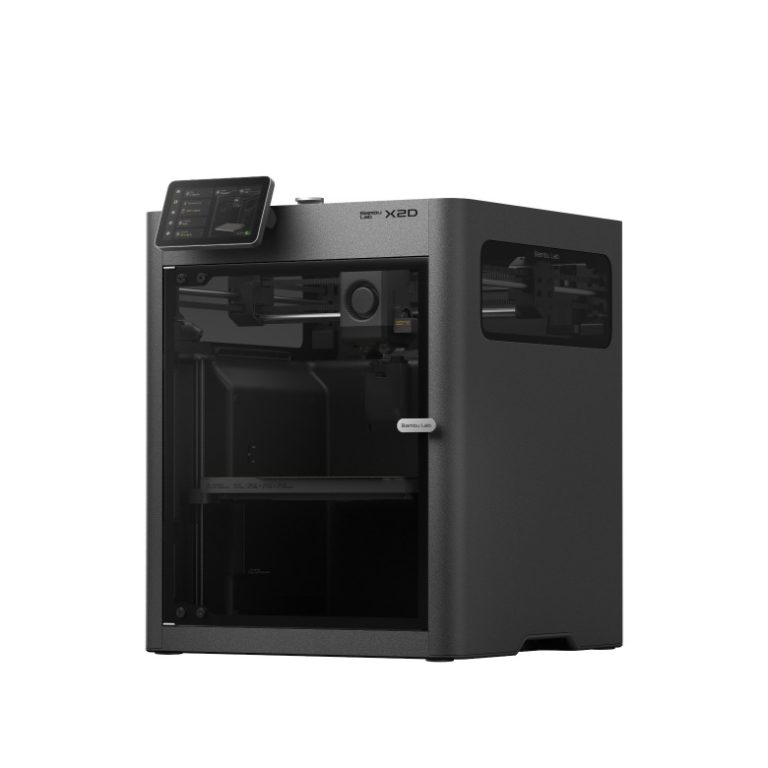
- Bambu Lab X2D AMS Combo, 899 dollars, 789 from October 27. 0 g purged where the P2S purged 59.69 g.
Store prices read by the Planet 3DP price tracker on October 26, 2026, US. Black Friday prices are the ones Bambu Lab lists for its sale from October 27. Waste figures are Nick’s own, from the videos linked below. Different tests used different models, so compare machines inside the same test.
The best multicolor 3D printers in 2026, by measured waste
Seven printers, all on Nick’s bench, each picked for a different job. Every one has a waste figure from his own prints, except the U1, which changes color without purging at all.
Bambu Lab H2C
Tested by Nick. For anyone who prints a lot of colors and hates the waste.
- Swaps the whole hotend instead of purging, with six Vortek hotends.
- Saved 853 g on one mask print and 504 g on a witch with over 1,500 color changes.
- Zero mispicks after over 5,000 hotend changes in Nick’s testing.
- Black Friday price from October 27: 1,899 dollars for the AMS Combo.
2,199 dollars for the AMS Combo at Bambu Lab’s US store, store price checked October 26, 2026
H2C at Bambu LabSnapmaker U1
Tested by Nick. Four colors with no purge between them.
- Four independent tool heads, each with its own filament loaded.
- A tool head swap takes about 5 seconds, faster than the H2C’s color changes.
- Capped at four colors, which Nick calls a real limit for his seven color prints.
- Open source firmware. Nick fixed a power error himself in about 5 minutes.
749 dollars at Snapmaker’s US store (999 before the markdown), store price checked October 26, 2026
U1 at SnapmakerAnycubic Kobra X
Tested by Nick. The lowest waste he measured under 300 dollars.
- Multicolor built into the tool head, which Anycubic calls ACE Gen 2.
- Purges about 35 mm per change against about 73 mm on the A1.
- 76 g of waste on Nick’s dragon print.
- Expands to 19 colors with up to four add on units.
279 dollars for the 4 color version at Anycubic’s US store (399 before the markdown), store price checked October 26, 2026
Kobra X at AnycubicCreality SparkX i7
Tested by Nick. The fastest setup, with the spools enclosed.
- About five minutes from box to printing in Nick’s test.
- The CFS keeps the filament in a closed box instead of out in the open.
- Hardened steel nozzle from the factory.
- 128 g of waste on the same dragon print.
349 dollars for the Color Combo with the CFS Lite at Creality’s US store (399 before the markdown), store price checked October 26, 2026
SparkX i7 at CrealityBambu Lab A1
Tested by Nick. The most proven printer here.
- On the market since December 2023, and print farms run hundreds of them.
- Four colors with the AMS Lite, which sits out in the open.
- 230 g of waste on the dragon print, the most of the three.
- Black Friday price from October 27: 359 dollars for the Combo.
399 dollars for the A1 Combo at Bambu Lab’s US store, store price checked October 26, 2026
A1 Combo at Bambu LabBambu Lab X2D
Tested by Nick. Two nozzles for support material with no purge.
- Purged 0 g on a jaw part where the P2S purged 59.69 g.
- Finished the same part in 4 hours 14 minutes against 7 hours 25.
- Best for PETG models with PLA support interfaces.
- Black Friday price from October 27: 789 dollars for the AMS Combo.
899 dollars for the AMS Combo at Bambu Lab’s US store, store price checked October 26, 2026
X2D at Bambu LabBambu Lab P2S
Tested by Nick. A fast enclosed printer, if you can live with the purge.
- One nozzle, so every material change is a full purge.
- Purged 59.69 g of the 148.55 g it used on Nick’s jaw test, about 40 percent.
- Same speed and enclosure as the X2D for 100 dollars less as a base machine.
- Black Friday price from October 27: 649 dollars for the Combo.
749 dollars for the P2S Combo at Bambu Lab’s US store, store price checked October 26, 2026
P2S at Bambu LabHow much filament each printer wasted
Nick ran three separate tests, so read each one on its own. The machines inside a test printed the same model. The tests themselves used different models.
| Printer | How it changes color | Nick’s test | Measured waste |
|---|---|---|---|
| Anycubic Kobra X | Cuts filament close to the nozzle | One multicolor dragon | 76 g |
| Creality SparkX i7 | CFS box, one nozzle | One multicolor dragon | 128 g |
| Bambu Lab A1 | AMS Lite, one nozzle | One multicolor dragon | 230 g |
| Bambu Lab X2D | Second nozzle for support material | One jaw part, PETG with PLA supports | 0 g |
| Bambu Lab P2S | AMS, one nozzle | One jaw part, PETG with PLA supports | 59.69 g of 148.55 g |
| Bambu Lab H2C | Swaps the whole hotend | Three prints against his H2S | 1,584 g saved, no purge |
| Snapmaker U1 | Four separate tool heads | Not weighed yet | No purge between colors |
On the dragon, the A1 purged about 73 mm of filament at every color change. The Kobra X cuts the filament much closer to the nozzle, so it purged about 35 mm, roughly half. The i7 landed in between. Nick’s own words on those numbers: every print is different, so treat them as real world examples, not promises.
The Bambu Lab H2C: no purge at all
The H2C doesn’t push old filament through the nozzle. It parks the whole hotend and picks up another one, from a rack of six Vortek hotends. Each one heats in about 8 seconds by induction. Bambu Studio maps your colors to the hotends for you.
Nick ran three prints on it and set each one against his H2S. The first was a Borderlands mask. It took 2 days 5 hours on the H2C, where the slicer estimated 4 days 1 hour on an H2S setup, and it saved 853 g of filament poop.
The second was a hand painted witch with over 1,500 color changes. There was zero poop, and it saved 504 g against his H2S. A small Grinch Dog print saved another 227 g. That’s 1,584 g across three prints, roughly one and a half rolls, which he puts at about 22 dollars at 15 dollars a roll.
The trade is space. The changer takes about 15 mm of width and 10 mm of height, so the build volume drops from the H2S’s 340 x 320 x 340 mm to 320 x 320 x 325 mm. Nick also says the hotend swaps are the loudest part, a brief hum and a clunk, but quiet enough for a phone call.
The Snapmaker U1: four tool heads, no purge between colors
The U1 takes a different route to the same goal. It has four tool heads, each with its own filament already loaded. When the color changes, it swaps heads in about 5 seconds, with no unloading or reloading. Nick says the color changes are faster than on his H2C.
The limit is the count. Four colors covered his falcon and toucan prints. His Mario figures need at least seven, and today he can only print those on the H2C. A community project called Full Spectrum, in a beta of Snapmaker Orca, blends the four filaments layer by layer into over 100 in between colors.
Two more things from his time with it. The tool head changes are loud enough to hear from the next room, about the same as his H2C, and he quieted it with a BIQU top. And when a long print stopped on a false power off error, Snapmaker’s open firmware and its own wiki page let him fix it in about 5 minutes.
Nick hasn’t weighed the U1’s waste yet. The box does include a purge chute and a poop bucket, which he fits in his setup video, so treat “no purge between colors” as the claim, not a gram figure.
Two nozzles or one: the X2D and the P2S
Not every multicolor job is about color. A lot of it is support material. Print PETG with PLA at the support interface and the supports peel away cleanly. On a one nozzle printer, every switch between the two is a full purge.
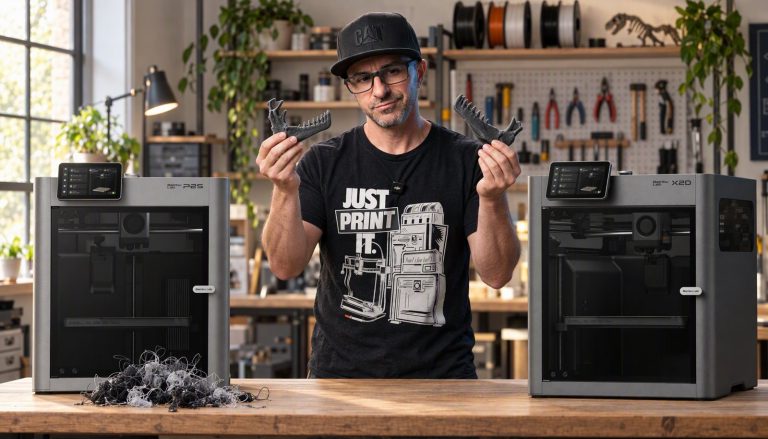
Nick printed the same Dilophosaurus jaw on both Bambu machines. The P2S used 148.55 g and purged 59.69 g of it, about 40 percent, and took 7 hours 25 minutes. The X2D used 96 g, purged nothing, and finished in 4 hours 14 minutes. Its second nozzle holds the support material, so the switch needs no purge.
At the 13 dollars a roll Nick uses for PETG, that purge is about 78 cents of filament on one part. At that rate the 100 dollar gap between the base machines is covered after roughly 129 prints of that part. The full numbers are in our P2S vs X2D comparison.
What the waste actually costs
Waste is a running cost, so it grows with how much you print. Nick’s example from the dragon test: print ten of those a month. At about 15 dollars a roll, roughly 1.5 cents a gram, the Kobra X wastes about 11.40 dollars a month and the A1 about 34.50.
Over a year that’s about 136 dollars against 414, a gap of roughly 278 dollars. That’s more than the price difference between the two printers.
The H2C runs the same sum at a bigger scale. Nick works out that ten of his mask prints would save over 130 dollars in filament, before you count the print time. If you only print in color now and then, none of this matters much. If color is most of what you print, it should decide the purchase.
Run it with your own numbers. Take the purge figure from your slicer’s estimate, multiply it by what you pay per gram, then by how often you print that kind of model.
Watch the dragon waste test
Creality CFS or Anycubic ACE Gen 2?
These are the two budget systems people ask about most. The Creality CFS is a closed box that feeds a single nozzle. On the SparkX i7 it keeps the spools out of the room air, which the A1’s open AMS Lite doesn’t. It still purges at every change, and the i7 wasted 128 g on the dragon.
Anycubic’s ACE Gen 2 on the Kobra X puts the four spools on top of the printer and the color handling in the tool head. Cutting closer to the nozzle is why it purged about half what the A1 did. The spools sit in the open, and Nick printed his own cover for them from under ten dollars of PETG.
Pick the CFS if damp filament is your bigger worry. Pick the ACE Gen 2 if waste is.
Should your first printer be a zero waste machine?
Nick’s answer is no. The H2C and the U1 are the machines that waste the least, and they’re also the ones he’d steer a first time buyer away from. Start with something like the A1, the i7 or the Kobra X, and read our best 3D printer for beginners guide for the full comparison.
Black Friday prices on these printers
Bambu Lab’s Black Friday sale runs from October 27 at 8 am Eastern to December 1. These are the prices Bambu lists for it, next to what its store charged when we checked on October 26, 2026.
| Printer | Store price, October 26, 2026 | Bambu Black Friday price |
|---|---|---|
| Bambu Lab H2C AMS Combo | 2,199 dollars | 1,899 dollars |
| Bambu Lab X2D AMS Combo | 899 dollars | 789 dollars |
| Bambu Lab P2S Combo | 749 dollars | 649 dollars |
| Bambu Lab A1 Combo | 399 dollars | 359 dollars |
Anycubic’s own Black Friday page says its sale is live from October 26 to November 20, with up to 350 dollars off. The Kobra X was already 279 dollars, down from 399, when we checked. Live prices for every tracked printer are on our 3D printer deals page.
Which multicolor printer should you buy?
You print color most days and the budget allows it: the H2C. It’s the only machine here that printed over 1,500 color changes with zero poop, and it handles seven colors.
Four colors is enough and you want fast changes: the U1 at 749 dollars. Nick uses his for multicolor PLA and PETG decor and gifts.
You want low waste for under 300 dollars: the Kobra X. It had the lowest measured waste of the three budget machines.
Damp air or a fast setup matters more: the SparkX i7 with its enclosed CFS.
You want the safe choice with the biggest community: the A1 Combo, at 359 dollars from October 27.
You print models with heavy supports: the X2D over the P2S. The second nozzle is what took the jaw test from 59.69 g of purge to none.
Multicolor printer questions
What is the best multicolor 3D printer?
For the least waste, the Bambu Lab H2C. It swaps hotends instead of purging and saved Nick 1,584 g of filament across three prints. Under 300 dollars, the Anycubic Kobra X wasted the least of the budget machines he tested, 76 g on a dragon print where the Bambu Lab A1 wasted 230 g.
Which multicolor 3D printer wastes the least filament?
Of the machines Nick has measured, the Bambu Lab H2C and the X2D purged nothing in his tests, and the Snapmaker U1 changes colors with no purge between them. Among single nozzle machines, the Anycubic Kobra X wasted 76 g on his dragon test, against 128 g on the Creality SparkX i7 and 230 g on the Bambu Lab A1.
How much filament does multicolor printing waste?
It depends on the printer and the model. On one multicolor dragon Nick measured 76 g of waste on the Kobra X, 128 g on the SparkX i7 and 230 g on the A1. On one jaw part with PLA supports, the P2S purged 59.69 g of the 148.55 g it used.
What is the Creality CFS?
It’s Creality’s closed filament box that feeds one nozzle with several colors. On the SparkX i7 it keeps the spools enclosed. It still purges at each color change: the i7 wasted 128 g on Nick’s dragon test.
What is Anycubic ACE Gen 2?
It’s the multicolor system built into the Anycubic Kobra X’s tool head. Four spools sit on top and feed straight in, with no separate box. It purges about 35 mm per change against about 73 mm on the Bambu Lab A1, and you can add up to four units for 19 colors.
Is the Snapmaker U1 or the Bambu Lab H2C better for multicolor?
Nick owns both. The U1 changes color faster, in about 5 seconds per tool head swap, but it’s capped at four colors. The H2C handles seven, which his Mario prints need. The U1 is 749 dollars and the H2C AMS Combo is 2,199, or 1,899 in Bambu’s Black Friday sale from October 27.
Should a beginner buy a multicolor printer?
A beginner can start in color, and the A1, SparkX i7 and Kobra X all print four colors. Nick wouldn’t start anyone on a zero waste machine like the H2C or the U1, though. He says to get your feet wet first.
- Planet 3DP video: I Ran All 3 Of The Best Beginner 3D Printers (August 2026), the dragon waste test at 25:48 (checked October 26, 2026)
- Planet 3DP video: Honest Bambu Lab H2C Review No More Filament Poop! (November 2025), the three print tests from 4:52 (checked October 26, 2026)
- Planet 3DP video: Open Source 3D Printer Saves the Print (July 2026), Snapmaker U1 vs Bambu H2C at 8:04 (checked October 26, 2026)
- Planet 3DP video: Snapmaker U1 Review, Unboxing, Setup and First Prints (May 2026) (checked October 26, 2026)
- Planet 3DP video: X2D vs P2S, I Tested Both and the Numbers Don't Lie (April 2026), the jaw test from 5:00 (checked October 26, 2026)
- Snapmaker Wiki: false power off signal triggered (checked October 26, 2026)
- Bambu Lab US store: H2C (checked October 26, 2026)
- Bambu Lab US store: X2D (checked October 26, 2026)
- Bambu Lab US store: P2S (checked October 26, 2026)
- Bambu Lab US store: A1 (checked October 26, 2026)
- Bambu Lab US store: Black Friday sale page, dates and sale prices (checked October 26, 2026)
- Snapmaker US store: Snapmaker U1 (checked October 26, 2026)
- Anycubic US store: Kobra X (checked October 26, 2026)
- Anycubic US store: Black Friday deals page (checked October 26, 2026)
- Creality US store: SparkX i7, variant prices (checked October 26, 2026)
- Planet 3DP price tracker: store prices for every printer on this page except the SparkX i7 Color Combo (checked October 26, 2026)

Host of Planet 3DP. I have been 3D printing for over four years, with tens of thousands of print hours across Bambu Lab, Anycubic, Creality, Elegoo and Snapmaker machines. Every waste figure on this page is one I measured on my own printers. Planet 3DP on YouTube.
Last checked October 26, 2026.